DCS Command System User’s Guide
Menu Operations - Advanced
Create Lash-up
Add Engine (cont’d)
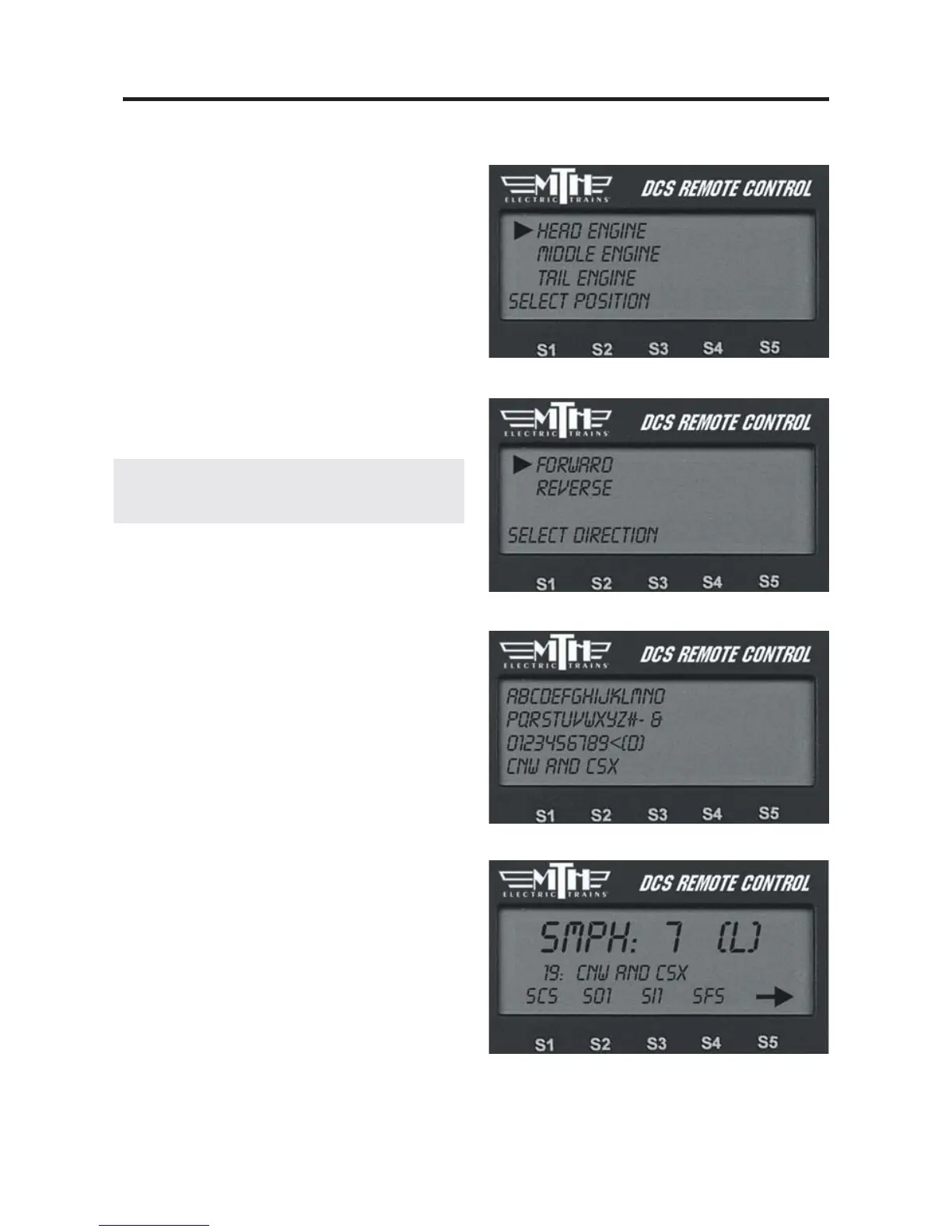
4. At the Select Position prompt, select
whether that engine will be the head, mid-
dle, or tail engine.
5. At the Select Direction prompt, select
whether that engine will face forward or
reverse.
6. Add the next engine.
Note: You must have at least a head and tail
engine to complete a lashup.
7. When you have added all the engines
in that lash-up, Scroll to Lash-up Name
and an alphanumeric character set is dis-
played. Use the thumbwheel to scroll
through the character set, and when the
character you want to type next is bracket-
ed, press the thumbwheel to select it. You
may give the lash-up a name up to 16
characters long. Select the “D” at the end
of the character set to signify that you are
done with this function.
The lash-up will now appear on the active
engine list as a single engine, and (L) will
appear on the LCD to indicate when the
lash-up is in operation. Operate it as if it
were a single engine.



 To Next Page