Newtec Proprietary
Confidentiality: Unrestricted
V1.4
156/225
Features Descriptions M6100 Broadcast Satellite Modulator
12.1.13 Transmit Control
M6100 >> Modulator >> Transmit Ctrl
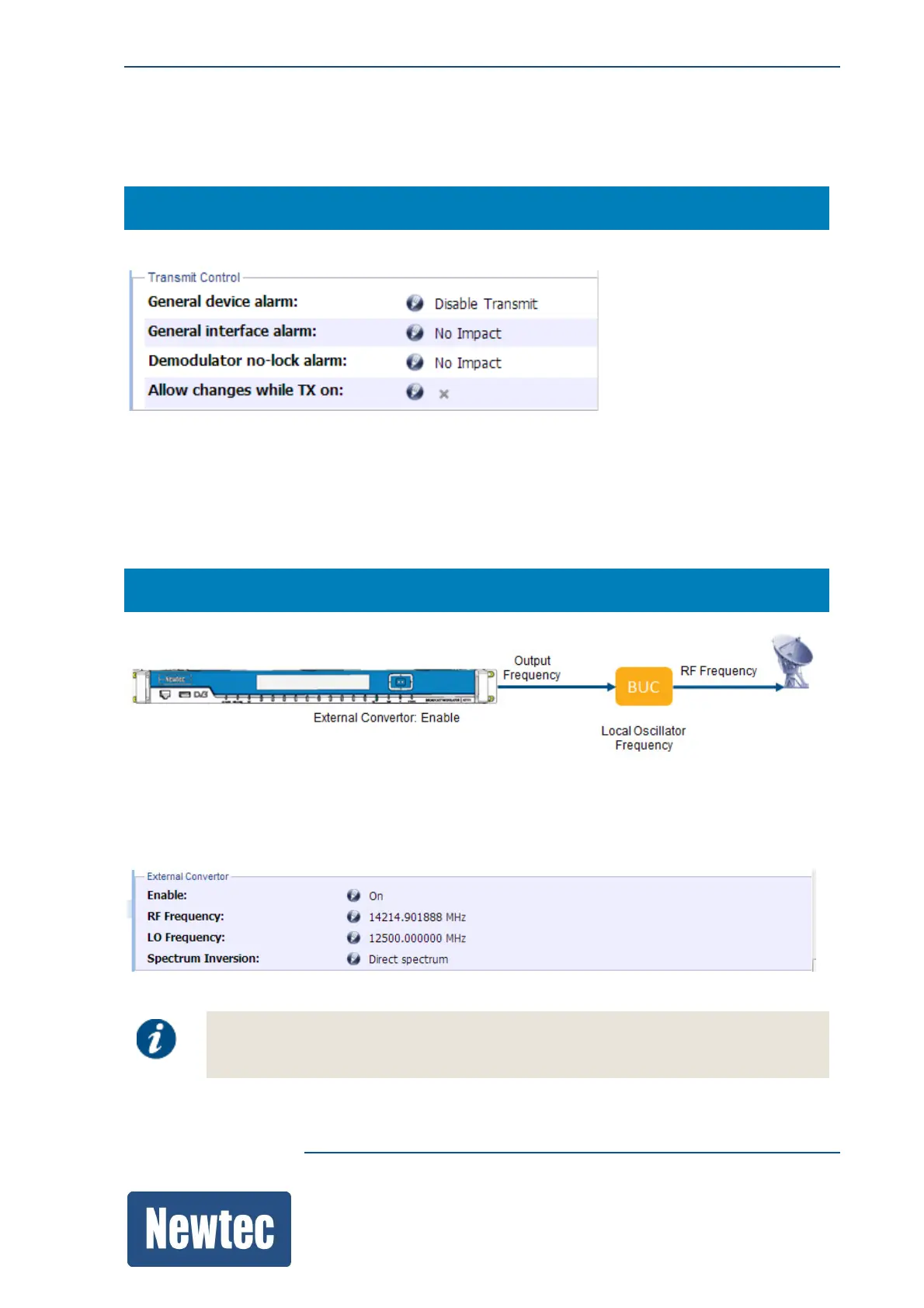
The transmission control parameters allows you to alter the default behavior of the transmitter.
12.1.14 External Convertor
Navigate to enable the use of an external convertor (For example a Block Up Converter BUC).
M6100 >> Modulator >> External Convertor
» Select Enable On
When enabled it is possible to configure the transmit frequency (RF Frequency) in function of the
LO Frequency of the BUC and the output frequency defined on the modulator.
Please check the specs of the external converter to determine LO (Local Oscillator)
Frequency.
The following calculations are valid:



 To Next Page