Newtec Proprietary
Confidentiality: Unrestricted
V1.4
85/225
General Device Settings and Actions M6100 Broadcast Satellite Modulator
Note: If the BISS setupID of the device is not the same as the BISS setupID of the
device having generated the configuration, the copy will result in corrupted BISS
parameters. (Refer to section: BasicInteroperableScramblingSystem(BISS)onpage192.
If one of the setupIDs is zero, this will generate an error, unless the import/export is
done on the same device (backup function).
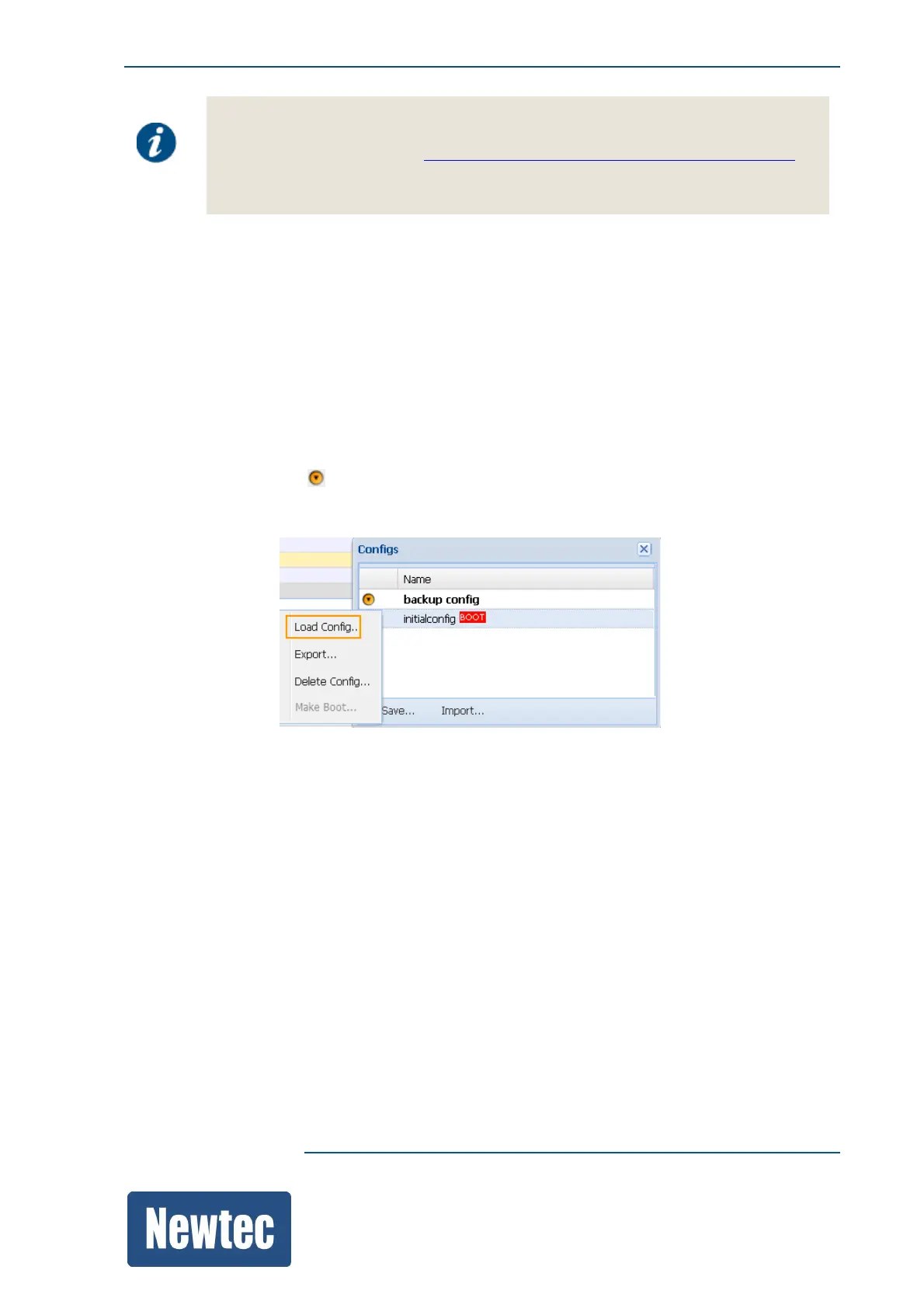
10.3.6 Load a Configuration
Use this procedure to load a configuration file that is available in the configuration list.
The loaded configuration becomes the active configuration.
» Navigate to the Tasks Pane to check the available configurations;
» Click Device;
» Click Configurations;
» Click the Config Name you want to load;
» Click the following icon ;
» Click Load Config…



 To Next Page