Newtec Proprietary
Confidentiality: Unrestricted
V1.4
53/225
How to Manage the Device M6100 Broadcast Satellite Modulator
9.6 How to Use the Front Panel
This section explains how the devices can be configured using the front panel.
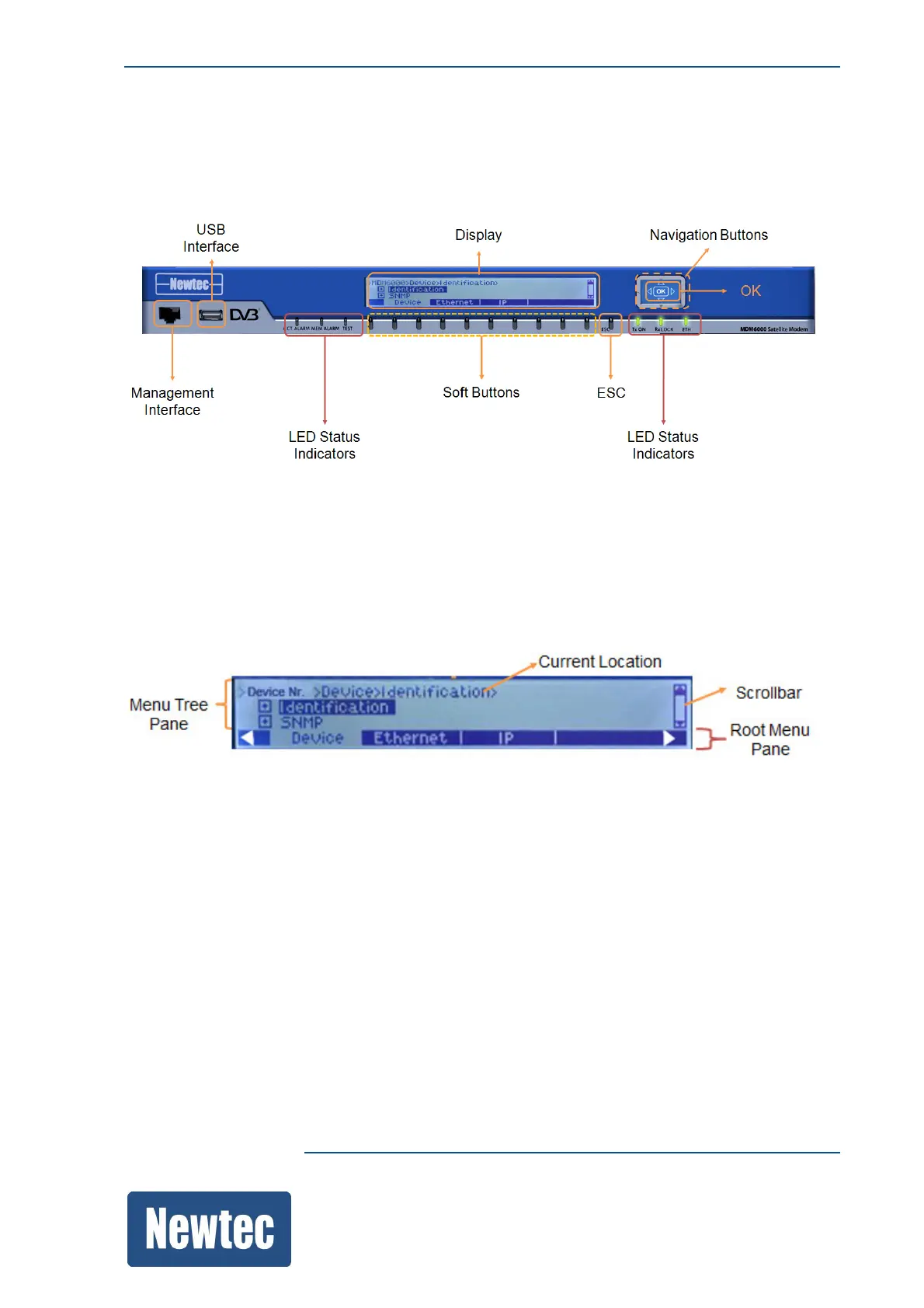
The following figure shows the navigation buttons, indicators and connectors to the front panel.
9.6.1 Navigating Through the Display
The display is divided horizontally into two regions in a matrix:
• Root Menu Pane: displays the branches of the device;
• Menu Tree Pane: displays the current location, the sub branches and/or parameters that exist
under the selected branch or sub branch.



 To Next Page