Newtec Proprietary
Confidentiality: Unrestricted
V1.4
178/225
Features Descriptions M6100 Broadcast Satellite Modulator
12.9.1 Enable Equalink™
» Log in as expert.
Before enabling the Equalink feature, the calibration procedure must be run first. This calibration
procedure calculates the Equalink parameters.
This can be done in two ways:
1. manually import an Equalink File (linear Equalink only);
2. use the automatic Equalink procedure (linear and non-linear).
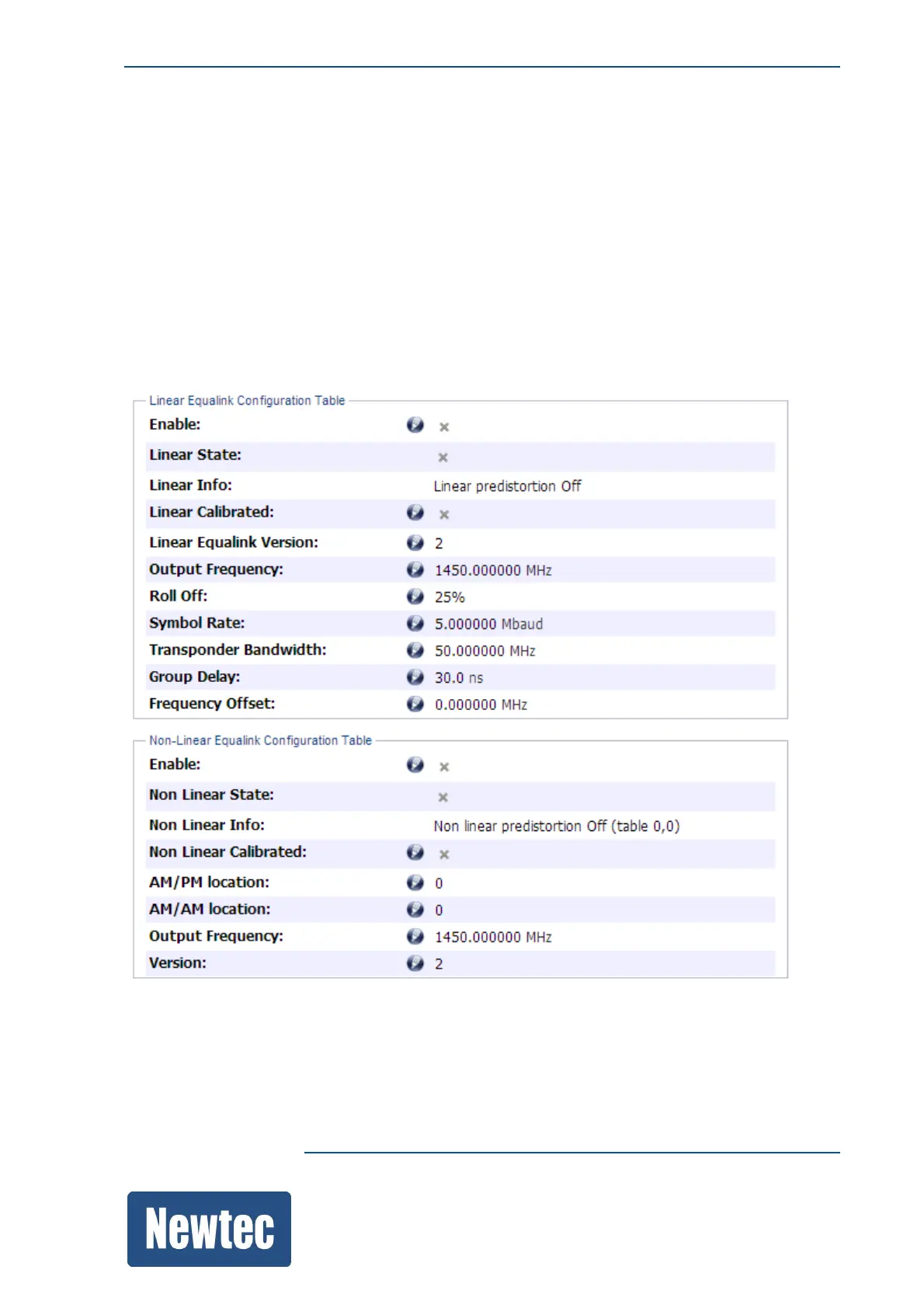
The results of the Equalink calibration are shown in the GUI.



 To Next Page