Newtec Proprietary
Confidentiality: Unrestricted
V1.4
18/225
Physical Description M6100 Broadcast Satellite Modulator
7.1.4 USB Interface
The USB interface is a flash drive connector that can be used to perform a license or software
upgrade.
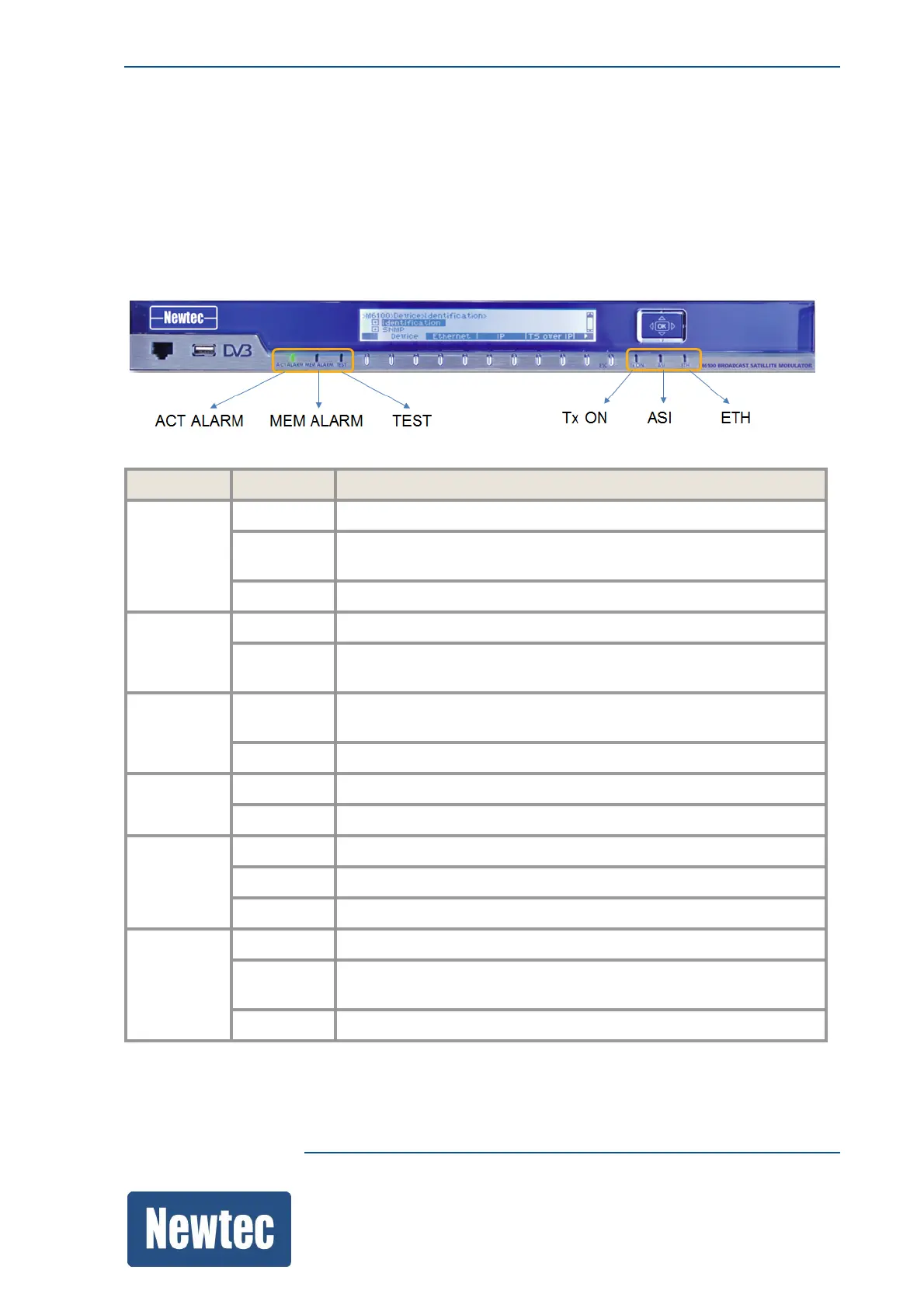
7.1.5 LED Status Indicators
The following table describes the LED indicators.
LED LED Color Description
ACT
ALARM
Red A general device or interface alarm is present on the device.
Yellow Alarms other than the general device alarm or interface alarm are
present on the device.
Green There are no alarms present on the device.
MEM
ALARM
Yellow A memorized alarm is present on the device.
Off Indicates that all alarms are cleared, no memorized alarm is present
on the device.
TEST Green Indicates that the internal PRBS generator is activated on the
device.
Off The internal PRBS generator is not activated on the device.
Tx ON Green The device is transmitting.
Off The transmission is disabled.
ASI Green The incoming signal is valid.
Red Indicates an interface alarm.
Off The incoming signal is not valid.
ETH Green The incoming data signal is valid.
Red Indicates an Ethernet link failure on the MGMT and/or DATA
interface(s).
Off The incoming data signal is valid.



 To Next Page