Newtec Proprietary
Confidentiality: Unrestricted
V1.4
52/225
How to Manage the Device M6100 Broadcast Satellite Modulator
Show All
Click this dialog box to open the functional block.
Open Detailed
View
Click this icon to open the detailed view, zooming in on the parameters
of the specific block.
Delete
Click this icon to delete a connection.
Hovering over a parameter shows more details about it.
9.5.13 Invalid Values
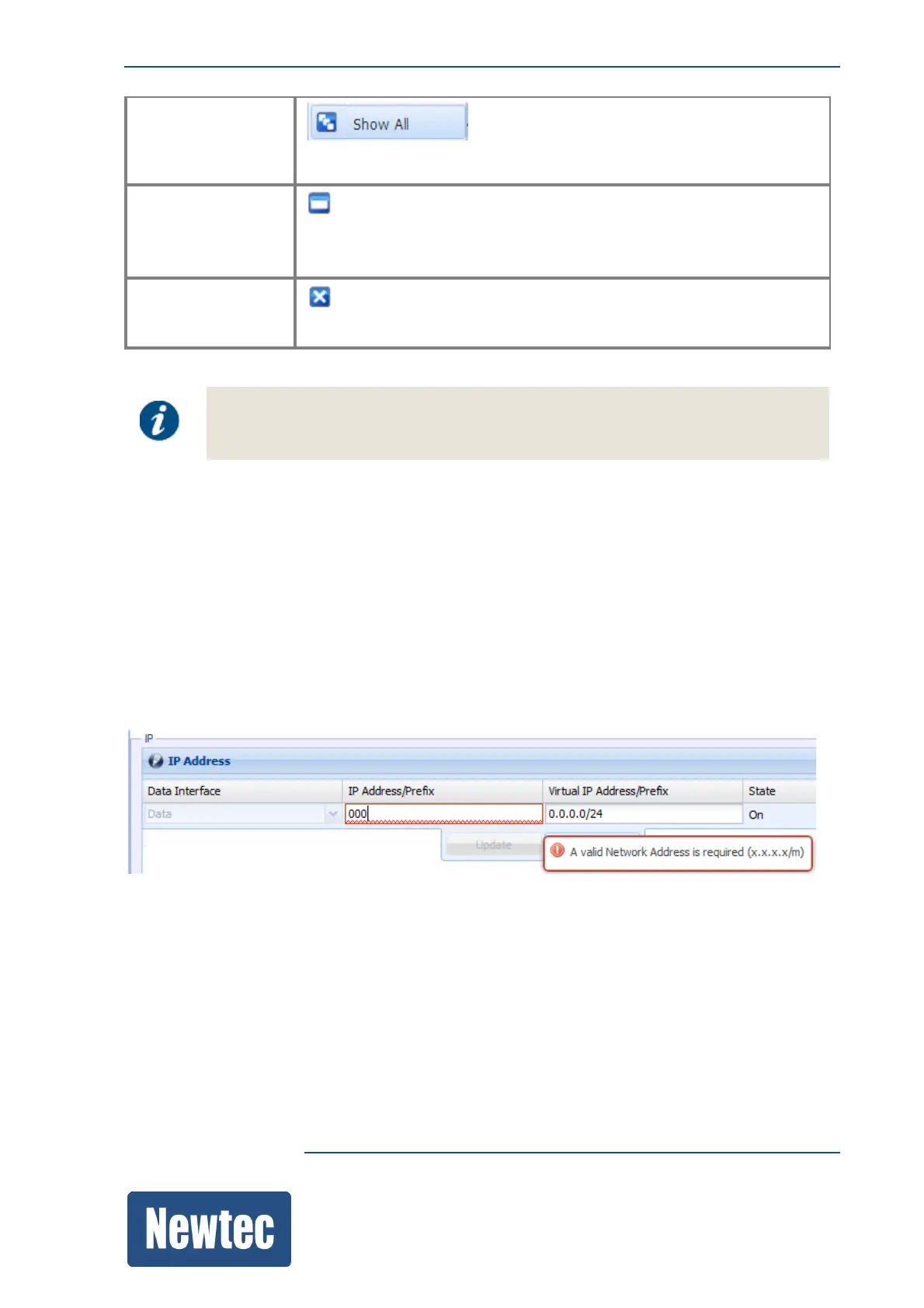
The GUI does not allow the input of invalid values. While typing a value this value is validated. The
user interface has several features that help to insert valid parameters:
• When typing an invalid value for a parameter, the edges of the parameter field turn red and a tool
tip displays the reason why the value is invalid;
• It is not possible to save values outside the defined ranges for the device.
The following figure shows an example of the behavior of the GUI when you try to enter an invalid
value.



 To Next Page