Newtec Proprietary
Confidentiality: Unrestricted
V1.4
181/225
Features Descriptions M6100 Broadcast Satellite Modulator
12.9.4 Automated Linear Equalink™
M6100 >> Calibration >> Linear Equalink
This feature provides automated linear Equalink™.
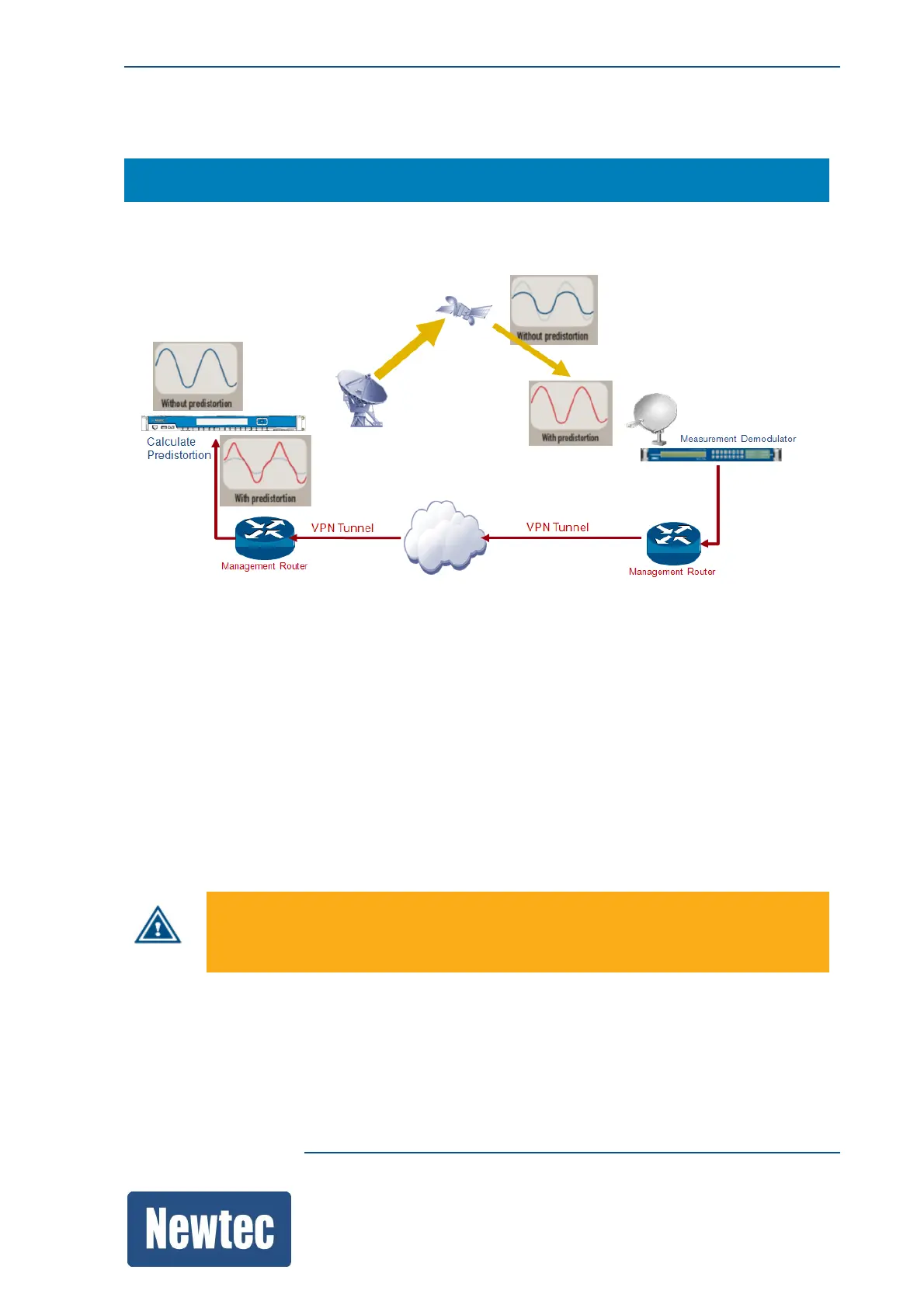
The automated Equalink™ calibration is done by performing measurements between the M6100
and a Newtec demodulator or modem.
The demodulator is going to monitor the carrier to distortion ratio (C/D) of the satellite link during the
automated Equalink™ calibration period.
The more monitoring iterations that are performed during the measurement the better the result of
the calibration.
Note: The higher the amount of iterations, the longer the calibration period takes (typically one
iteration takes 5 min).
The monitoring results are transferred towards the M6100 over an IP network (terrestrial link or
satellite link) and used by the modulator to calculate the optimal predistortion result.
The calibration gain (in dB) displays the difference between the satellite link performance before and
after committing the linear Equalink™.
Once the calibration gain is committed, the gain indicator is reset to zero. This implies that a new
calibration can be started.
The fading margin (in dB) is used to monitor the fading during the automated
Equalink™ calibration period. When the margin is exceeded the calibration is
interrupted. The calibration must be restarted manually!
Consult the calibration log file to get a detailed overview of the automated Equalink™ calibration
procedure.



 To Next Page