Newtec Proprietary
Confidentiality: Unrestricted
V1.4
87/225
General Device Settings and Actions M6100 Broadcast Satellite Modulator
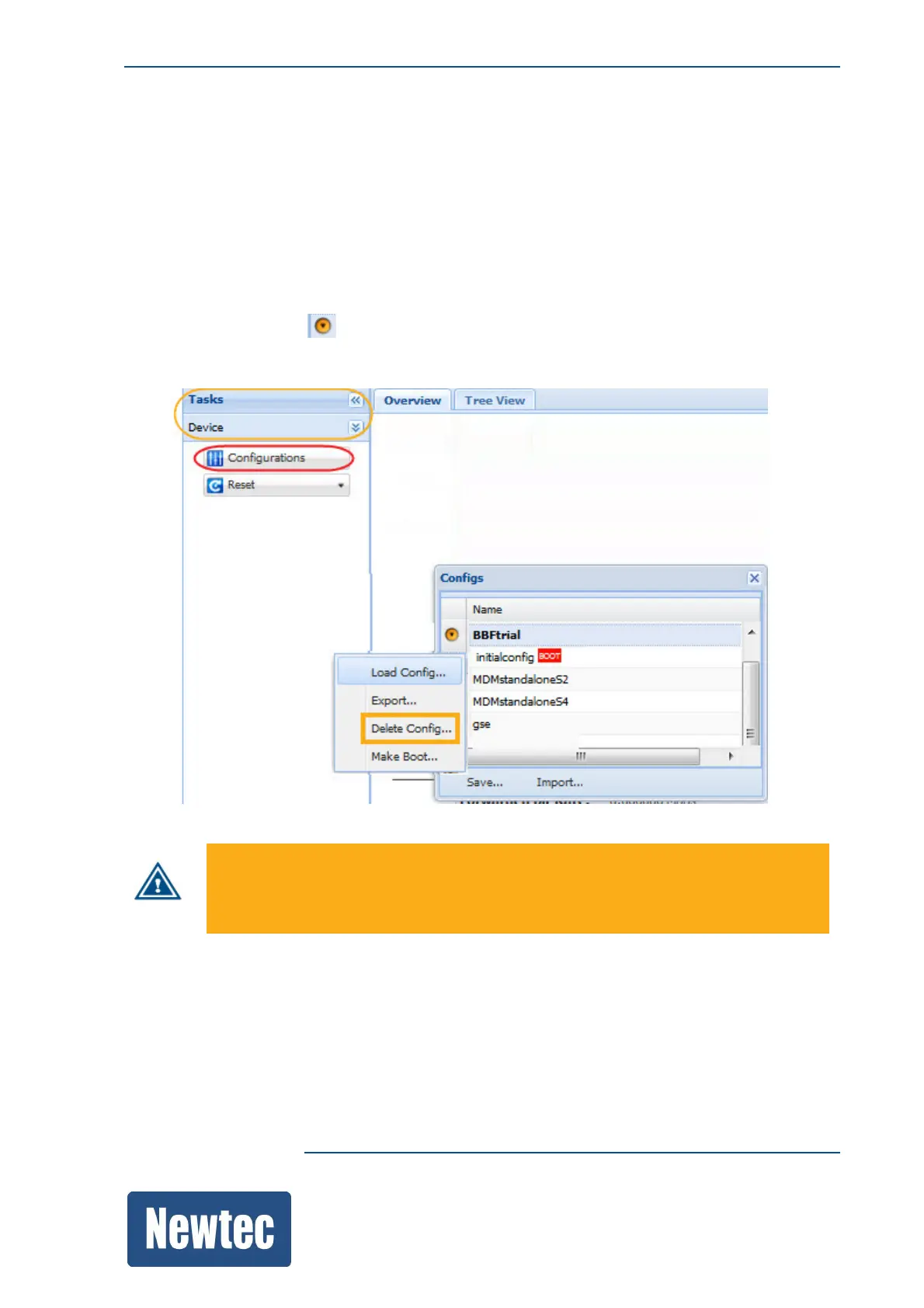
10.3.8 Delete a Configuration
Delete a configuration file from the device when it becomes obsolete.
» Navigate to the Tasks Pane;
» Click Device;
» Click Configurations;
» Click the Config Name you want delete;
» Click the following icon ;
» Click Delete…
Deleting a boot configuration causes a factory reset of this boot configuration!
All application specific parameters are reset to their default values.
Traffic can be impacted.



 To Next Page