Newtec Proprietary
Confidentiality: Unrestricted
V1.4
188/225
Features Descriptions M6100 Broadcast Satellite Modulator
Parameter Description
the hub downlink.When using this it is advised to
add noise in the hub downlink.
IP Address Demodulator Enter the MGMT IP address of the external demodulator.
Fading Margin Enter the maximum fading margin that is allowed during
the calibration period.
Iterations per Monitor Cycle Enter the amount of iterations per monitoring cycle you
want to perform.
Two iterations provide a relative fast calibration.The
higher the amount of iterations the longer the calibration
period takes, (typically, one iteration takes 5 minutes).
The number of iterations recommended is
3.
Calibration ModCod The calibration will run in DVB-S2 or DVB-S2X.
• Auto ModCod: In this case the calibration uses
different ModCods to perform the calibration.
• Manual selection of the Equalink calibration ModCod.
» Click Start;
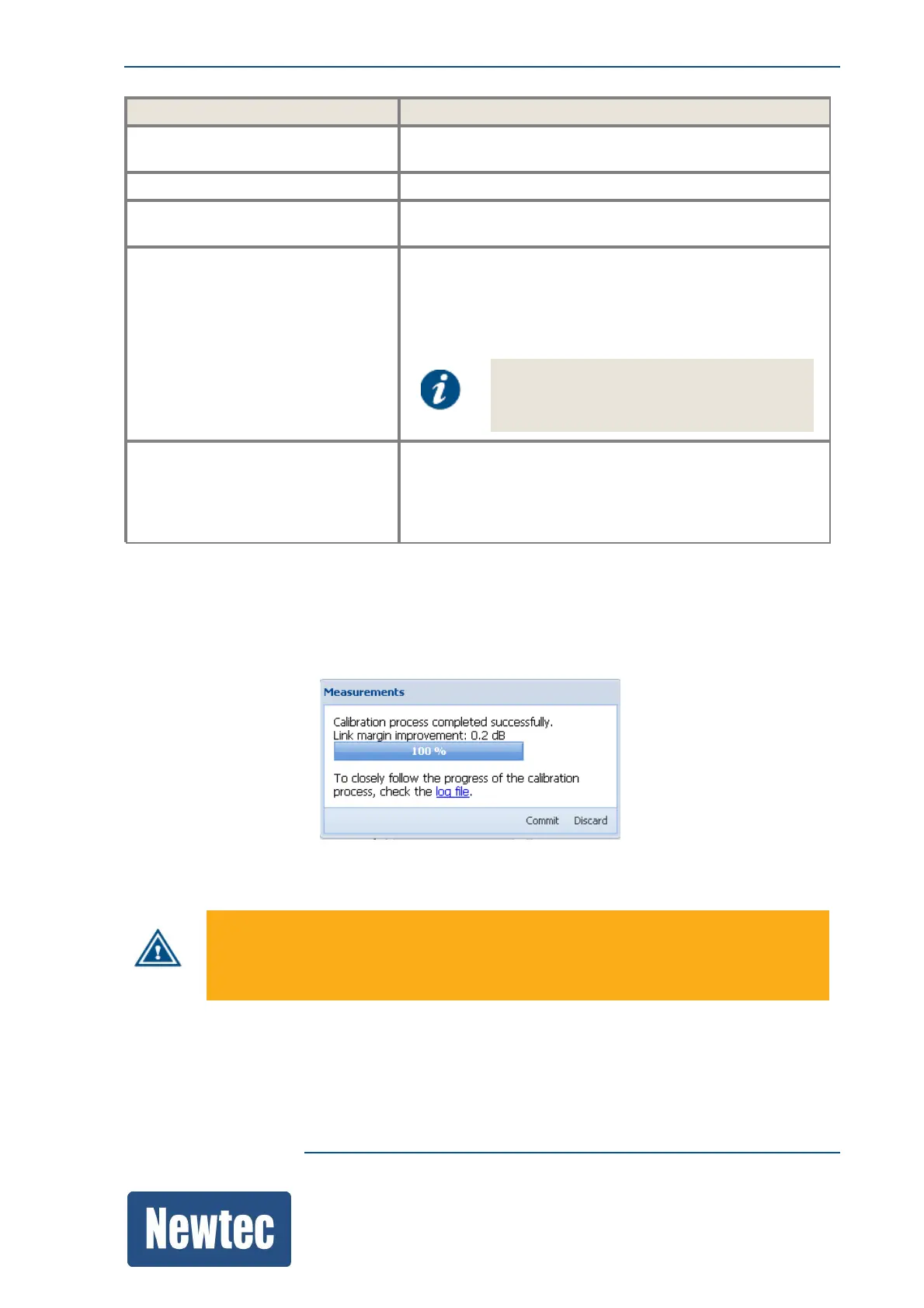
» A progression bar is displayed;
» When the measurements are performed, the link margin improvement is displayed:
» Click Commit to confirm the link margin improvement.
When a non-linear Equalink procedure is committed, the non-linear Equalink settings
are up to date in the current configuration.
An explicit save is required to store the settings permanently!



 To Next Page