2-6 Frames and Wireways
Wireway Removal
1-, 2-, 3-Cell Color Touch Installation and Service Guide/67-2014 Rev G © 2011 Omnicell, Inc.
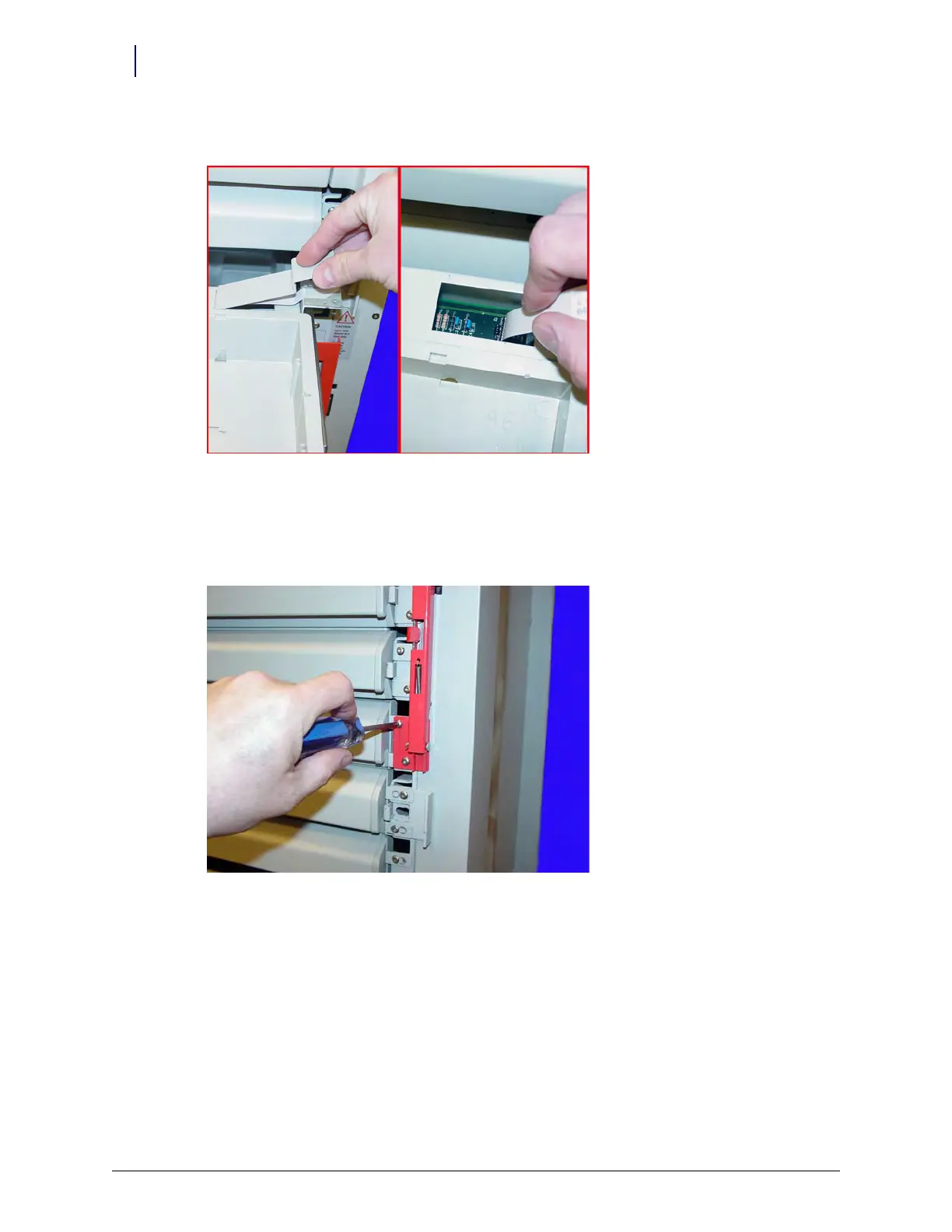
4. Remove the controller cable cover and disconnect the controller cable from the drawer.
Figure 2-8. Remove the controller cable cover; Disconnect the controller cable
5. Remove the drawer from the frame by pressing the drawer releases on each drawer slide.
6. Repeat steps 3-5 for drawers in positions seven, eight and nine.
7. Remove the two screws securing the large manual override lever using a T15 Torx screwdriver.
Figure 2-9. Remove the screws securing the manual override lever
8. Remove the lever.
9. Remove the two screws
securing each of the four slide support brackets using a Torx T15
screwdriver.
10. Remove the slide support brackets.
11. Remove the three wireway cables located on the inner side of the slide support brackets. The
cables are located underneath drawers #2, 7 and 9.



 To Next Page