4-25 Installation
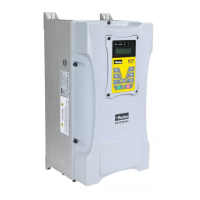
AC30 series Variable Speed Inverter
Remote Control Wiring
If operating in Remote Control you will use your control panel to start and stop the inverter, via a speed potentiometer and switches or push-
buttons.
Your wiring of the control terminals will be governed by the Application you use: refer to the various Applications you can select and the
appropriate control wiring. Application 0 is the default Application.
The diagram below shows the minimum connections to operate the inverter for single-wire (switch) starting, and push-button starting. Other
control connections for your Application, can be made to suit your system.
Referring to the Connection Diagram:
Follow the instructions for Local Control Wiring, as detailed above
Install using minimum connections (suitable for Application 0 only), or refer to the appropriate control wiring for your system.
Note: You can still operate the inverter in Local mode, if necessary, with any Application selected.
This application is ideal for general purpose applications. It provides push-button or switched start/stop control. The setpoint is the sum of the
two analogue inputs AIN1 and AIN2, providing Speed Setpoint + Speed Trim capability.




 To Next Page
