EasyManua.ls Logo

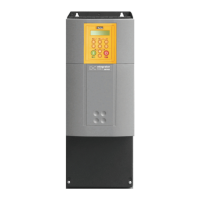
Parker AC30 series - User Manual

Parker AC30 series
462 pages
Print Icon
To Next Page IconTo Next Page
Loading...
AC30 series
Variable Speed Drive
HA503711U003 Issue 2: Software Reference
aerospace
climate control
electromechanical
filtration
fluid & gas handling
hydraulics
pneumatics
process control
sealing & shielding
ENGINEERING YOUR SUCCESS.

Table of Contents

Other manuals for Parker AC30 series

Questions and Answers

  • T
    Travis HuffmanJul 27, 2025
    How to fix Parker DC Drives if drive not found?
    • V
      vmcmillanJul 27, 2025
      If your Parker DC Drive is not found, ensure that the drive and your PC are connected to the same physical Ethernet network. You can connect them to the same network or directly to each other.
  • S
    Steven ThompsonAug 6, 2025
    What to do if Parker DC Drives are found but no information displayed?
    • T
      Tiffany ThomasAug 6, 2025
      If your Parker DC Drive is found but no information is displayed, it might be because another PC is connected to the drive. To resolve this, disconnect the other PC.
  • L
    Lisa MatthewsAug 15, 2025
    What to do if Parker Inverter drive won’t start after start command?
    • M
      markblanchardAug 15, 2025
      If the Parker Inverter drive does not start when a start command is given, there might be a fault latch that has tripped. Remove all power from the drive and re-apply it. If the problem continues, return the AC30V for repair. Alternatively, try to reset the trip and eliminate its cause. If the issue persists, return the AC30V for repair.

Summary

AC30 series Variable Speed Drive

Chapter 1: Safety

Chapter 3: Product Overview

AC30 Series Control Features

Outlines general features, motor control modes, I/O, and communication capabilities.

Chapter 4: The Graphical Keypad

Setup Wizard

Describes the purpose and navigation of the setup wizard.

Chapter 7: Trips & Fault Finding

Trip Messages

Lists possible trip messages, their reasons, and warning criteria.

Fault Finding

Provides a troubleshooting guide for common drive problems.

Chapter 8: Ethernet

Ethernet Setup

Covers IP address configuration and advanced settings.

Troubleshooting the Ethernet

Provides guidance for resolving Ethernet connection issues.

Chapter 2: Fire Mode

Configuration

Lists parameters for configuring Fire Mode operation.

Chapter A: Fieldbuses

Chapter 6: Setup Wizard

Parker AC30 series Specifications

General IconGeneral
Control ModesClosed-loop vector
FeedbackEncoder
Operating Temperature0 to 40°C (32 to 104°F) standard, -20 to 50°C (-4 to 122°F) with derating
ProtectionOvercurrent, Overvoltage, Undervoltage
CommunicationRS485

Related product manuals