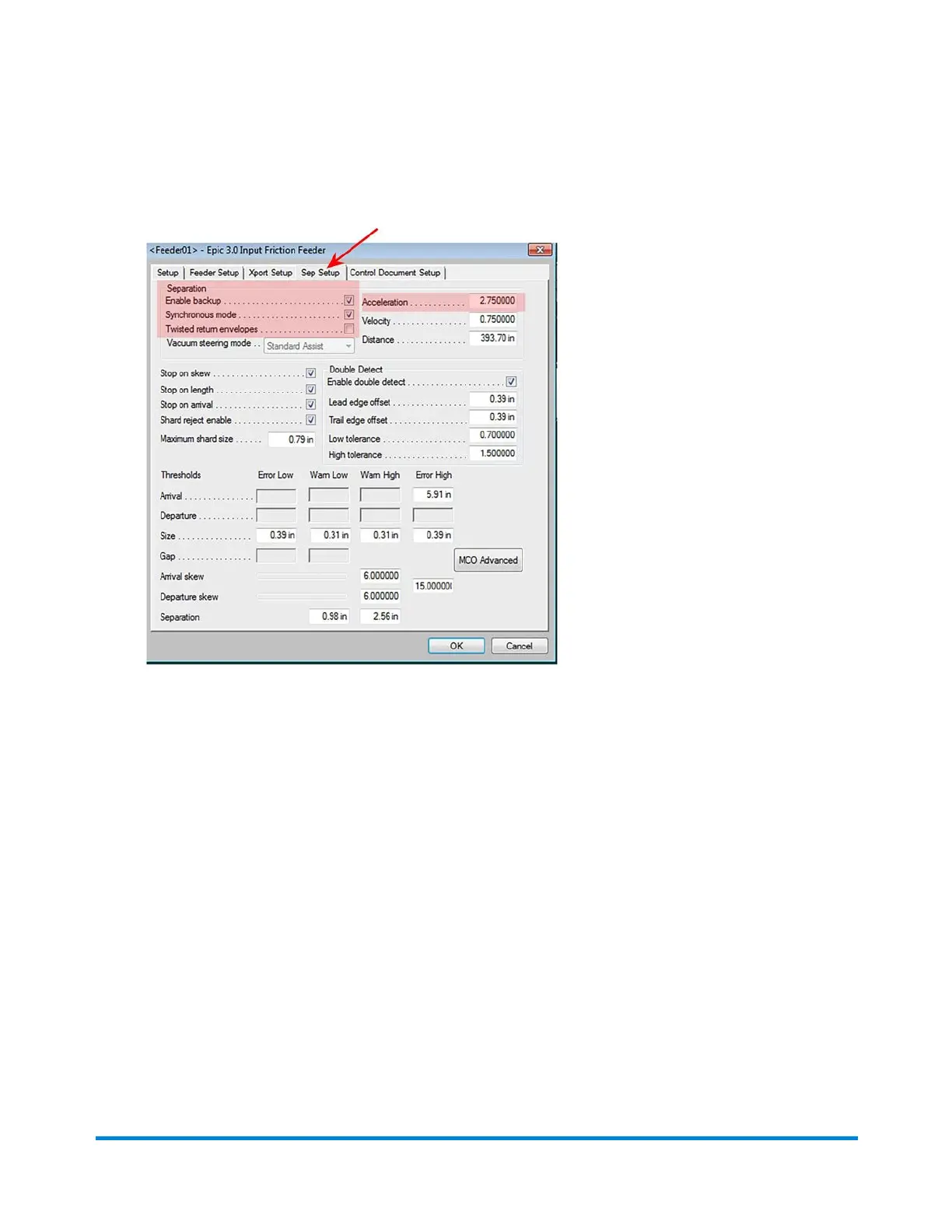
4. When the dialog opens, click the Sep Setup tab.
5. Select the appropriate separator setup options for the friction feeders:
l Enable Backup: this option casues the separator roller to rotate slightly with each piece to
avoid flat spots. (This feature must be turned off if a stone separator is being used.)
l Synchronous Mode: this option helps with difficult inserts that tend to shingle or skew; with
this option they are separated without stopping, before the lead edge reaches the nips.
l Twisted Return Envelopes: this setting can help if you are having trouble feeding badly
twisted envelopes; when set, inserts are fed further out from under the weight of the stack
when separating.
l Acceleration: this feature controls how fast the separator belts spin at startup.
o
The lower the number, the slower the belts turn
o
The higher the number, the faster the belts turn
6. After you make your selections, click OK.
Operator Adjustments
Pitney Bowes Epic v3.1 (ZVE0) Operator Guide May, 2018 Page 176 of 328



 To Next Page