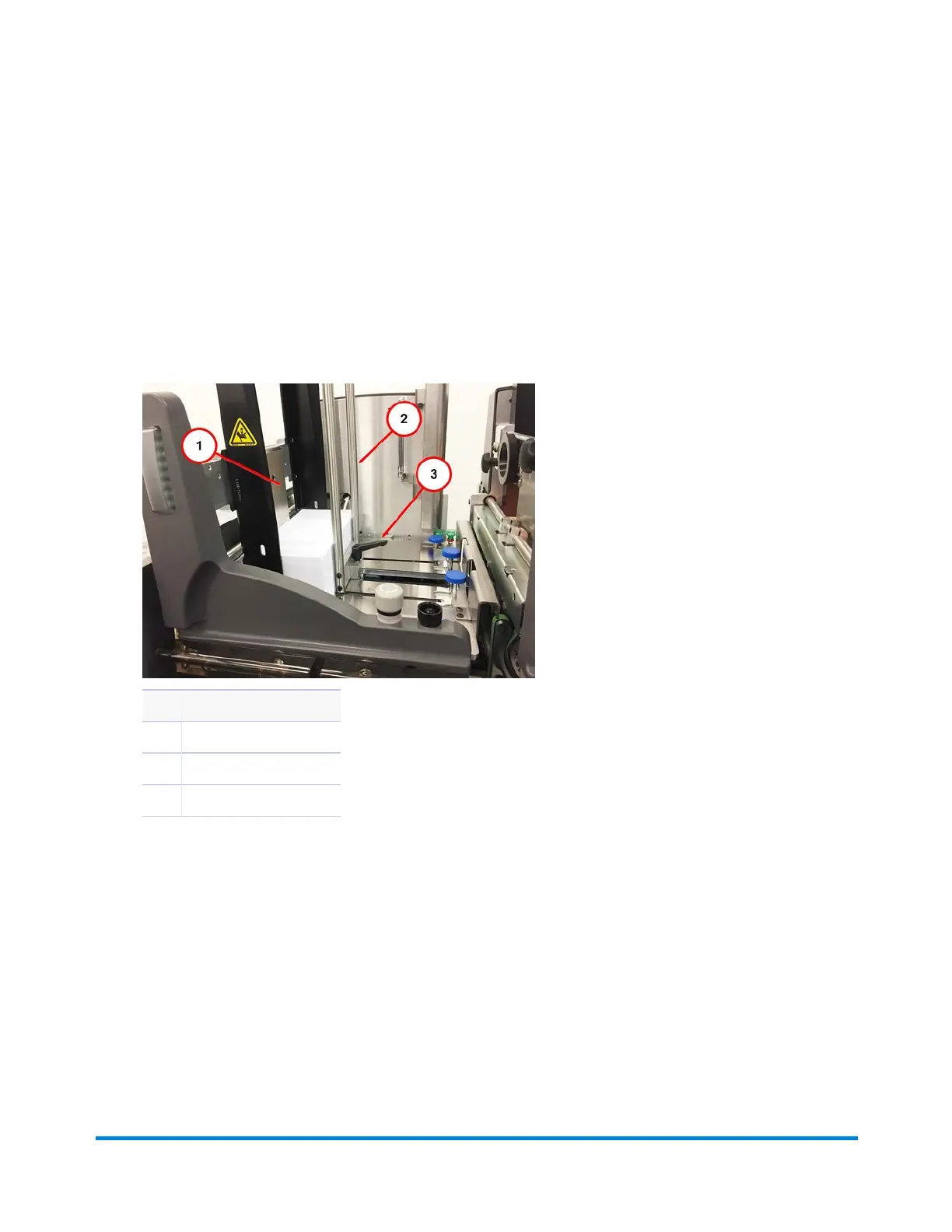
Adjusting the Rotary Feeder Side Guide and Backstop
1. Place the material on the deck against the feed center gate.
2. Loosen the backstop locking knob.
3. Push the backstop (forward or backward) against the material and lock the knob in place. (Do not
move the backstop too close to the material as it can restrict the material from dropping to the deck
naturally.)
Item Description
1 Center Gate
2 Backstop
3 Backstop Locking Knob
4. Loosen the side guide locking knobs.
Operator Adjustments
Pitney Bowes Epic v3.1 (ZVE0) Operator Guide May, 2018 Page 122 of 328



 To Next Page