View Alarm History
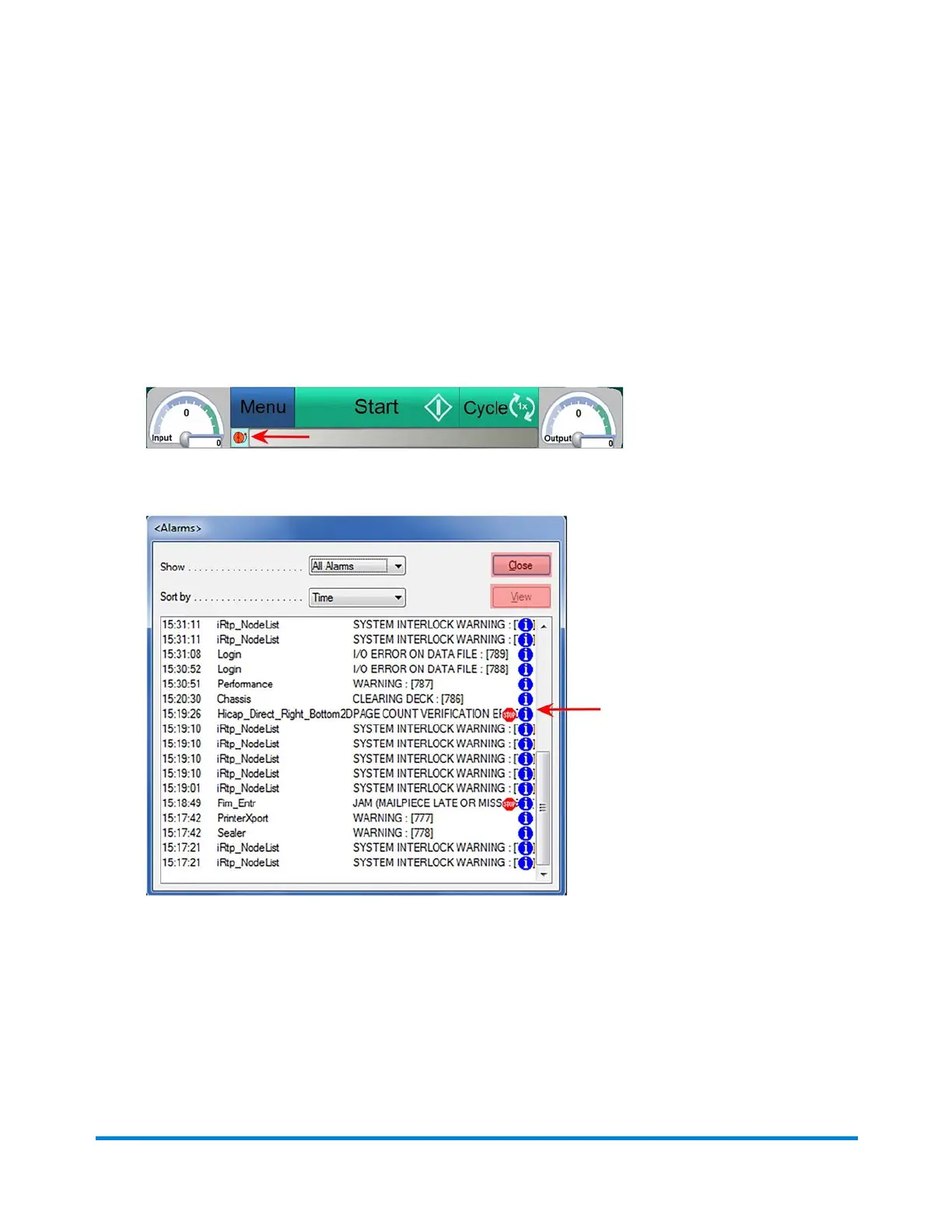
It is possible to view the history of alarms that have occurred during the current job run. The alarm history
can be helpful when troubleshooting persistent problems.
To view the alarm history:
1. Click the Alarm icon and select History from the drop-down menu. The Alarm History dialog
opens.
Alarm Icon
Alarm History - (Alarms with a "stop sign" next to them indicate events that stopped the inserter)
2. To view details about a specific alarm, double-click it or highlight it, and click View.
3. Click Close and Close again, to exit out of alarm history and back to the maIn DC screen.
Error Recovery
Pitney Bowes Epic v3.1 (ZVE0) Operator Guide May, 2018 Page 214 of 328



 To Next Page