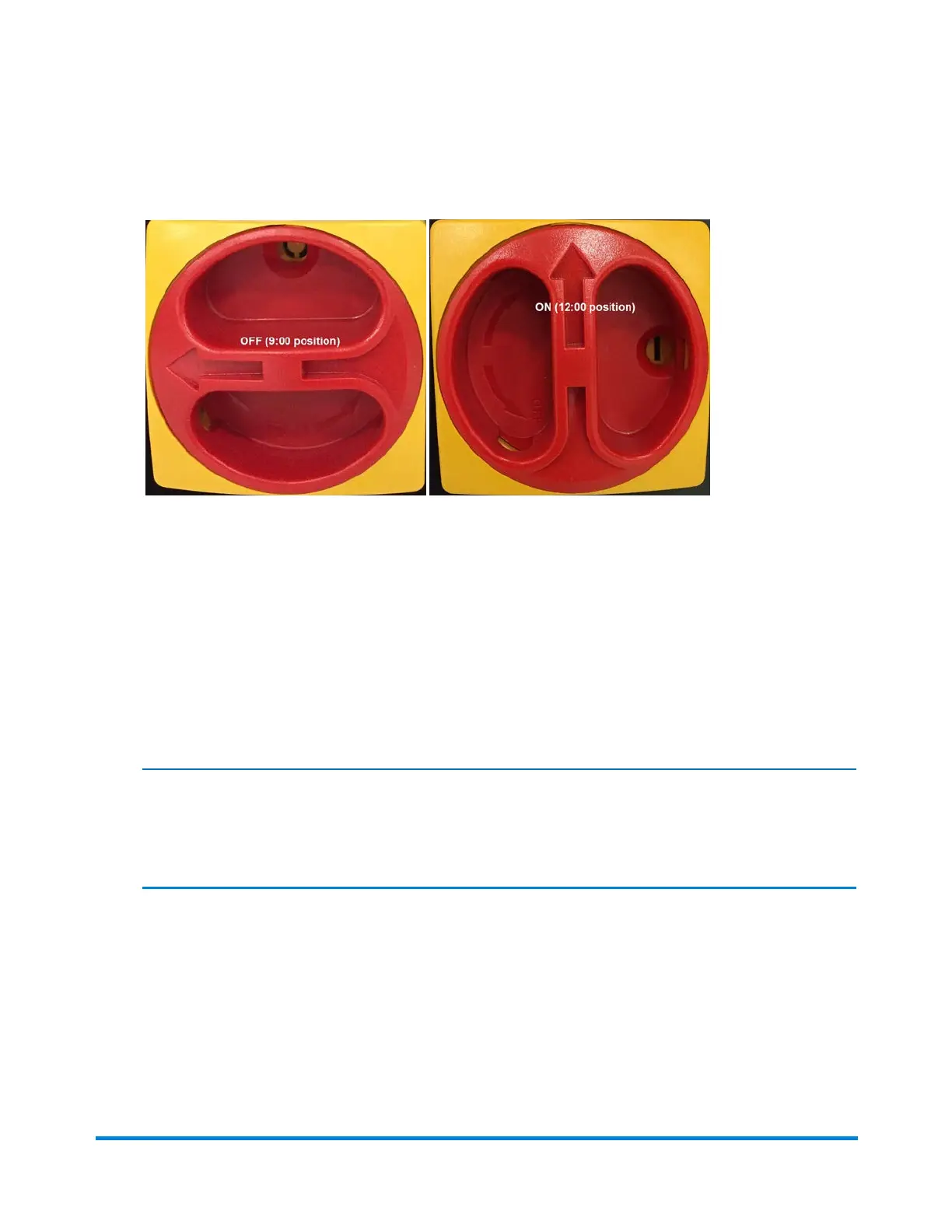
2. To turn the system ON, rotate the red section of the switch clockwise from the 9:00 position, so the
arrow is facing up, in the 12:00 position.
Main Power Switch - OFF position and ON position
Power Up the Direct Connect Computer
1. When the DC computer completely boots up, at the Begin Login window hold down the [CTRL]
and [ALT] keys at the same time and press the [Delete] key. The Login window opens.
2. To log into Windows, if the system is connected to a network, enter the system password. If it is not
connected to a network, click OK.
Note:
Depending on your site, the Windows log in may be automatic and you will not be prompted to
perform this step.
3. Log in to DC.
Power the System On and Off
Pitney Bowes Epic v3.1 (ZVE0) Operator Guide May, 2018 Page 21 of 328



 To Next Page