Power Down the Inserter
After you log out of DC, the : It is now safe to turn off your computers message displays.
Note:
After you power down the DC computer, wait about 30 seconds before proceeding; this gives time for
other computers in the system to shut down safely.
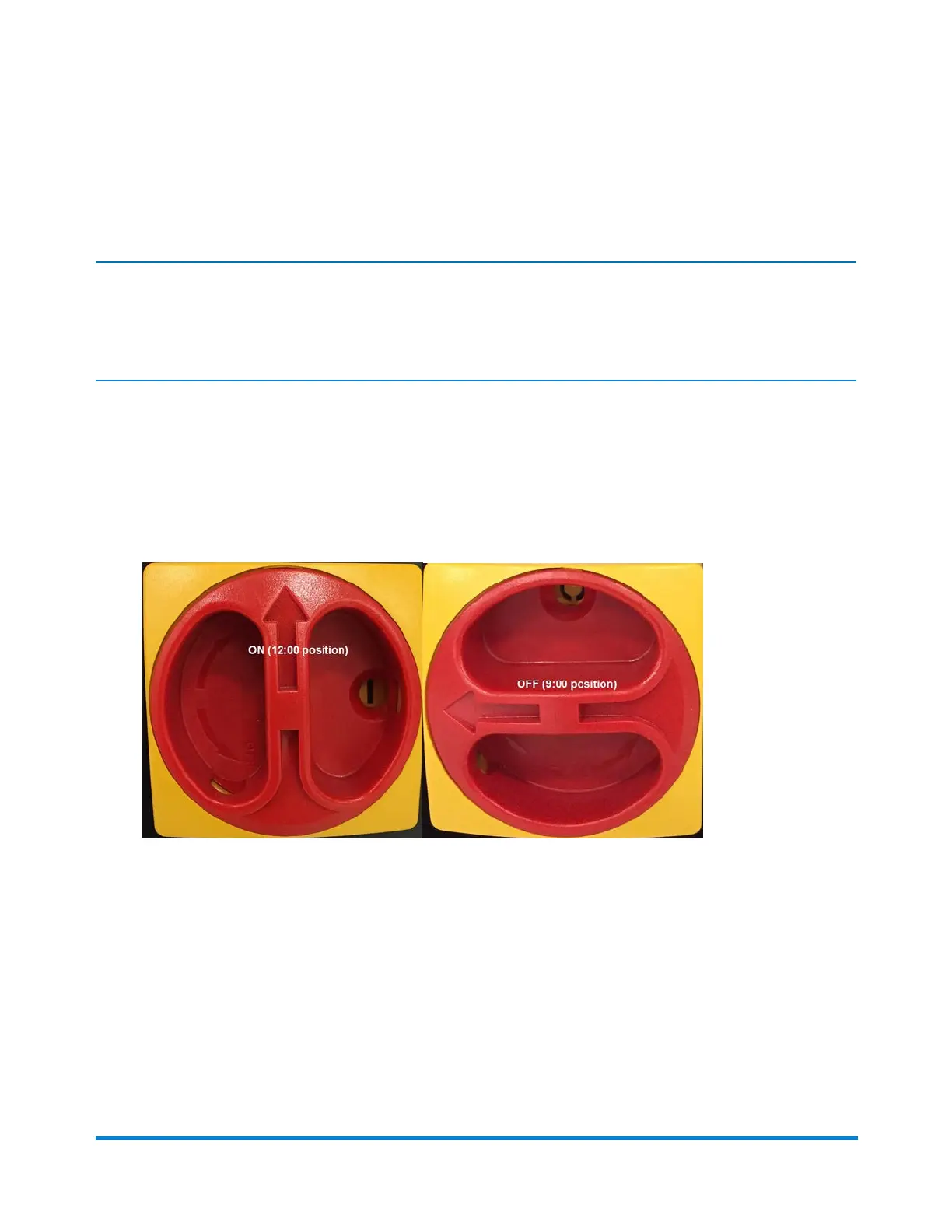
1. Locate the red and yellow ON/OFF power switch (on the lower cabinet near the left most chassis
feeder).
2. To turn the system OFF, rotate the red section of the switch counterclockwise from the 12:00
position, so the arrow is facing in the 9:00 position.
Main Power Switch - ON position and OFF position
Power the System On and Off
Pitney Bowes Epic v3.1 (ZVE0) Operator Guide May, 2018 Page 23 of 328



 To Next Page