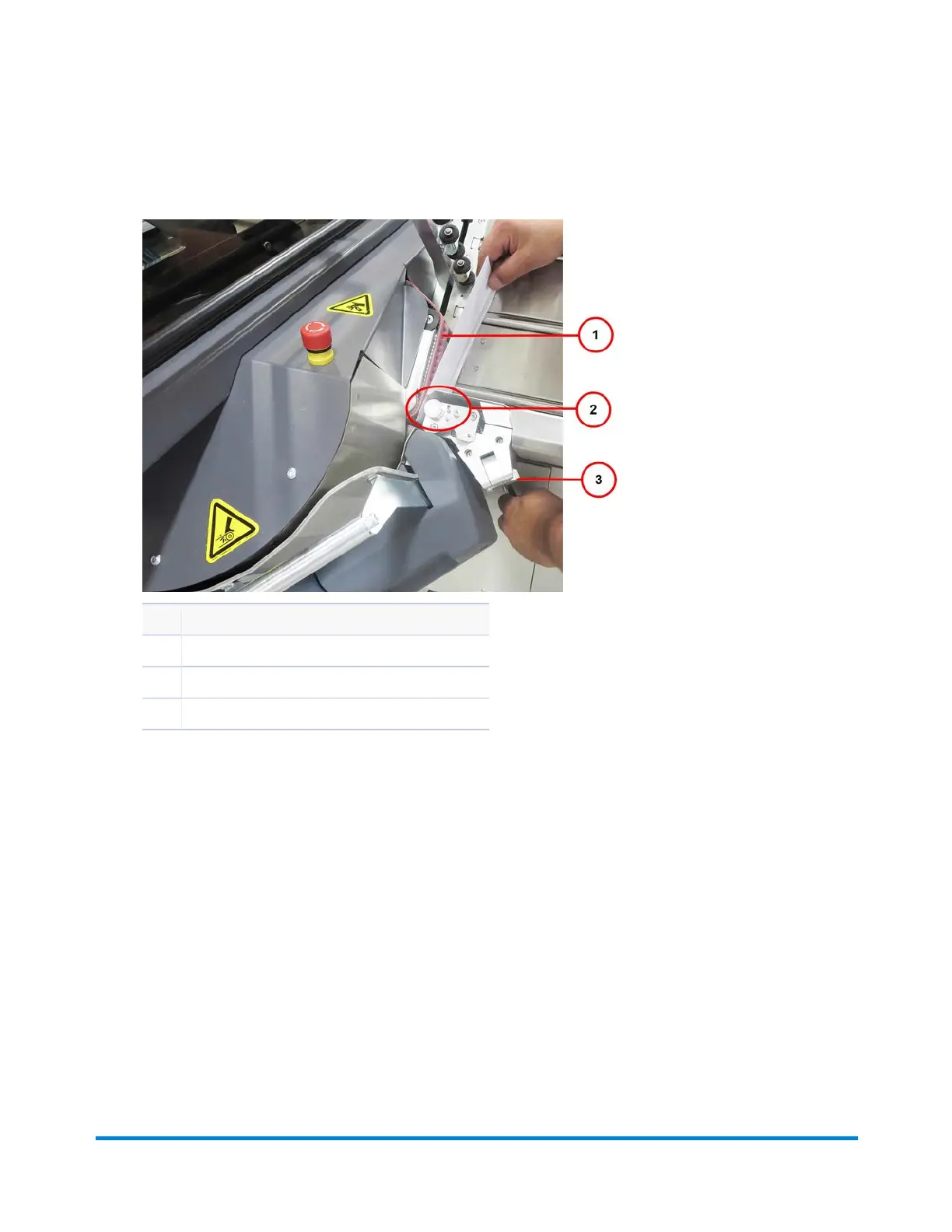
2. While holding back the separator access lever, slide one envelope between the separator and the
red belts, making sure it's between the separator rollers.
Item Description
1 Red Belt
2 Separator Roller Area (roller not seen in photo)
3 Separator Adjustment Knob
Insert Envelope Between Separator Rollers
3. Release the access lever.
4. Turn the separator knob to adjust for thickness. You should feel a very slight drag on the envelope
as you try to remove it from the separator roller. (Adjust the separator knob only a few clicks and
recheck the settings.)
a. If there is too much drag on the envelope, open the knob to reduce drag.
b. If there is not enough drag on the envelope, close the knob to increase drag.
Operator Adjustments
Pitney Bowes Epic v3.1 (ZVE0) Operator Guide May, 2018 Page 53 of 328



 To Next Page