User’s Manual of GS-4210-16T2S_24T2S_16P2S_24P2S_48T4S
The page includes the following fields:
Object Description
• VLAN ID
Display the current VLAN ID.
• Port Mask
Display the current port mask.
4.7.4.6 MLD Forward All
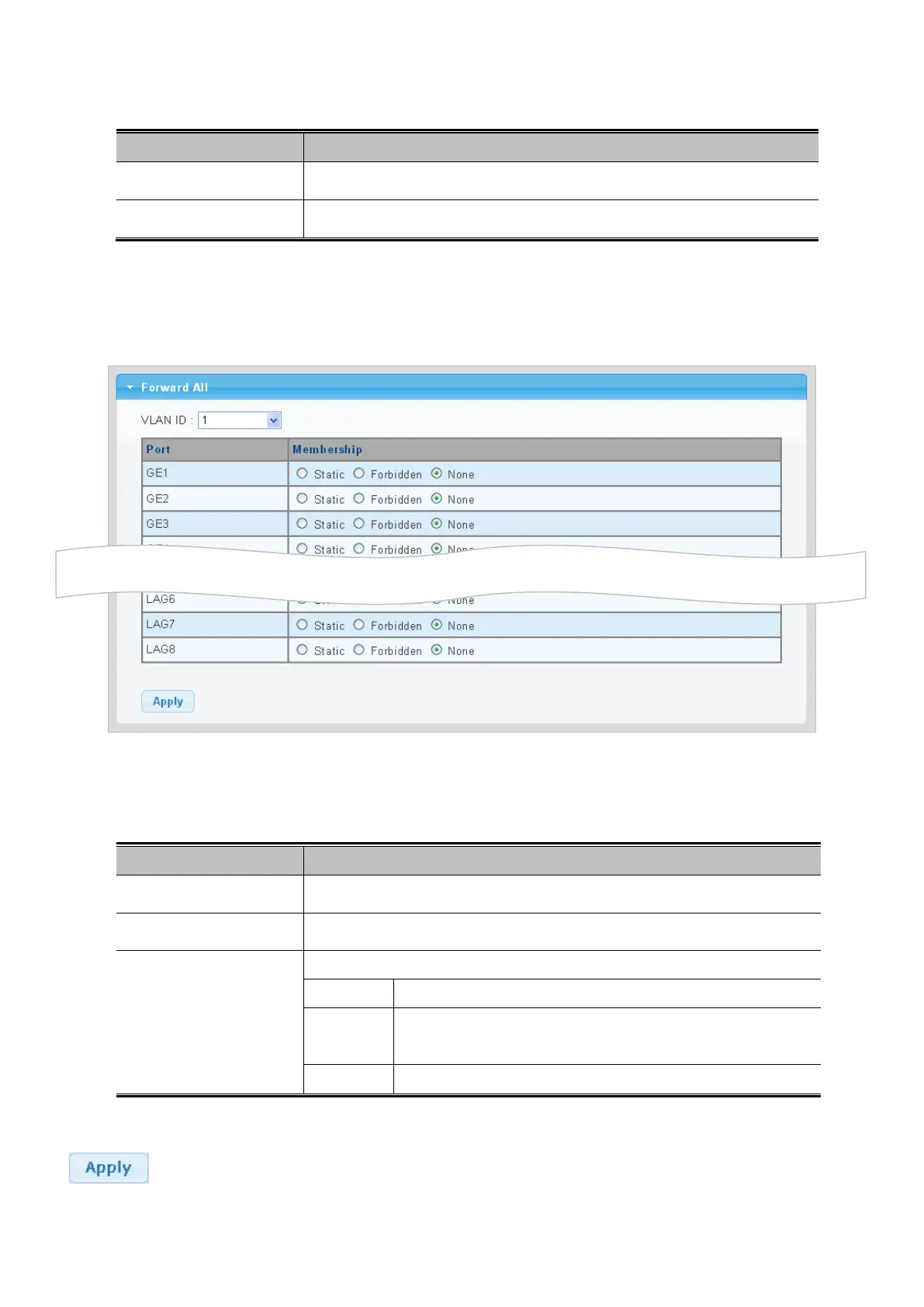
This page provides MLD Forward All. The Forward All screen in Figure 4-7-33 appears.
Figure 4-7-33: Forward All Setting Page Screenshot
The page includes the following fields:
Object Description
• VLAN ID
Select VLAN ID for this drop down list to assign MLD membership.
• Port
The switch port number of the logical port.
• Membership
Select MLD membership for each interface:
Forbidden: Interface is forbidden from automatically joining the MLD via MVR.
None: Interface is not a member of the VLAN. Packets associated with
this VLAN will not be transmitted by the interface.
Static: Interface is a member of the MLD.
Button
: Click to apply changes.



 To Next Page
 Loading...










