User’s Manual of GS-4210-16T2S_24T2S_16P2S_24P2S_48T4S
4.2.7.10 SNMP Remote Engine ID
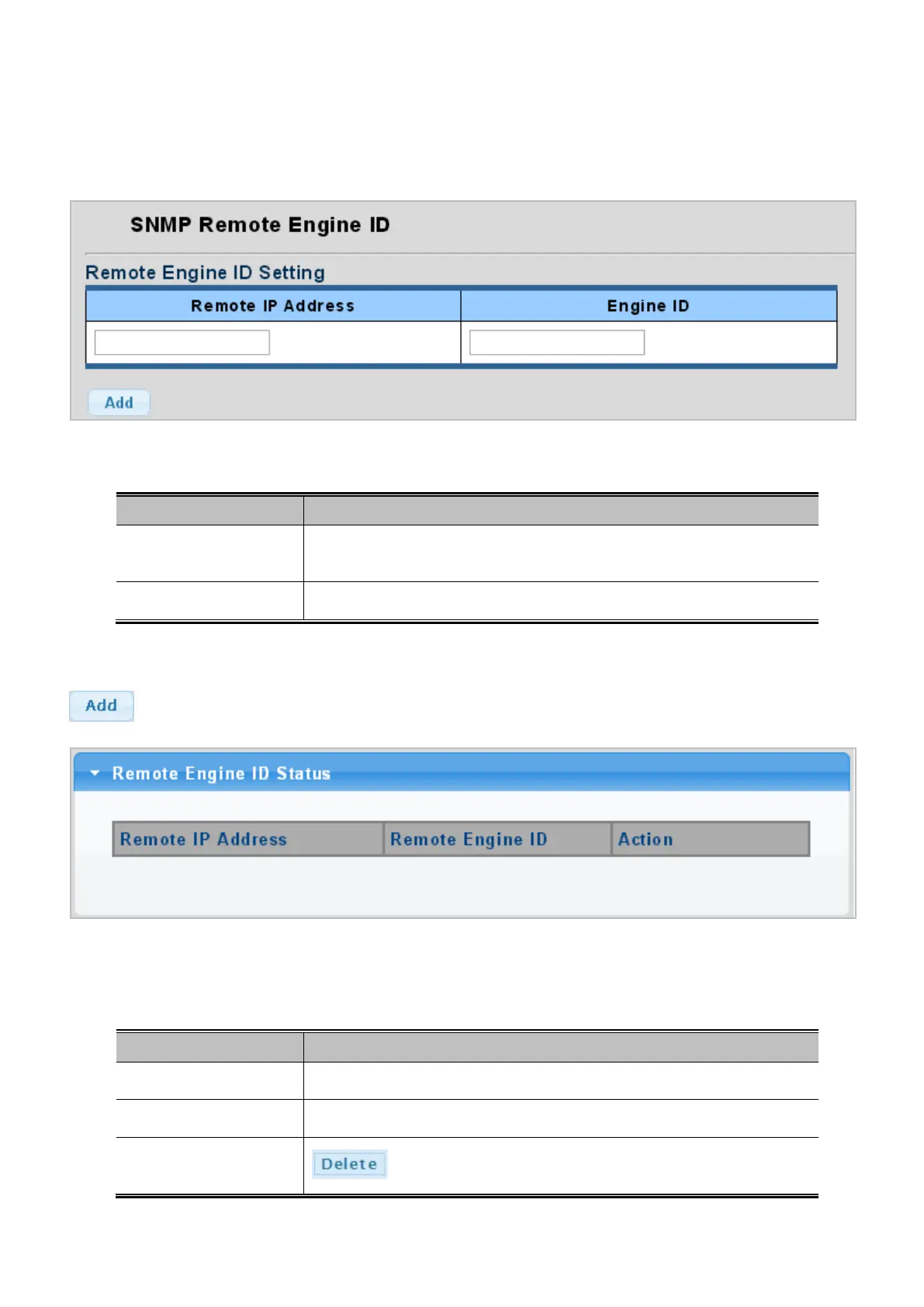
Configure SNMPv3 remote Engine ID on this page. The SNMPv3 Remote Engine ID Setting screens in Figure 4-2-37 and
Figure 4-2-38 appear.
Figure 4-2-37: SNMPv3 Remote Engine ID Setting Page Screenshot
The page includes the following fields:
Object Description
• Remote IP Address
Indicates the SNMP remote engine ID address. It allows a valid IP address in
dotted decimal notation ('x.y.z.w').
• Engine ID
An octet string identifying the engine ID that this entry should belong to.
Buttons
: Click to add a new Engine ID entry.
Figure 4-2-38: SNMPv3 Remote Engine ID Status Page Screenshot
The page includes the following fields:
Object Description
• Remote IP Address
Display the current remote IP address.
• Remote Engine ID
Display the current engine ID.
• Action
: Delete the remote IP address entry.



 To Next Page
 Loading...










