User’s Manual of GS-4210-16T2S_24T2S_16P2S_24P2S_48T4S
4.16.6 Enable Password
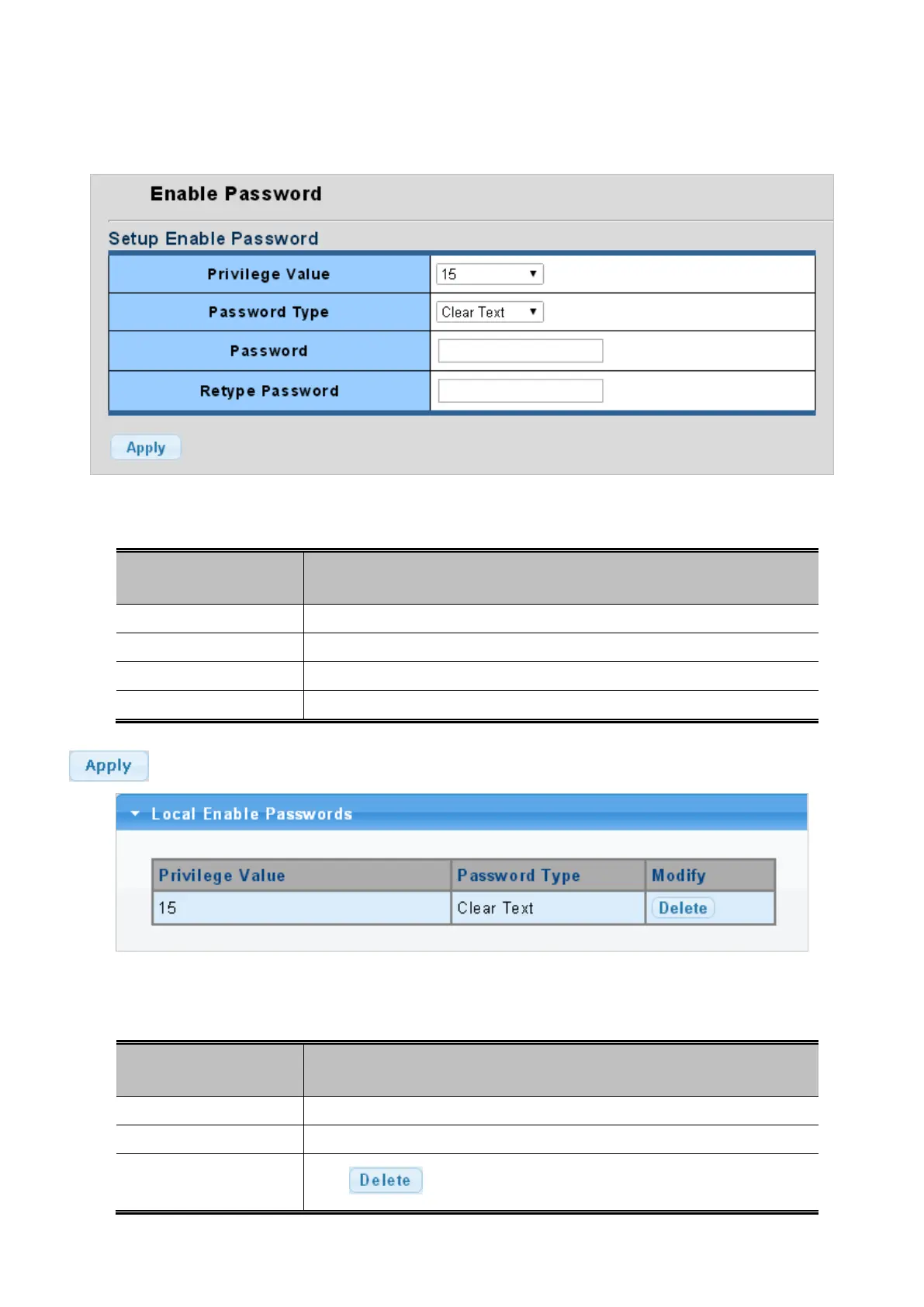
The page allows configuring system password, the enable password screen in Figure 4-16-6 appears.
Figure 4-16-6: Enable Password Page Screenshot
The page includes the following fields:
Object Description
• Privilege Value
Provide 0-15 option.
• Password Type
Provide “Clear Text” and “Encrypted” options.
• Password
Allow input the new password and available range is 30 characters.
• Retype Password
Allow input the new password again for confirm.
Button
: Click to apply changes.
Figure 4-16-7: Local Enable Password Page Screenshot
The page includes the following fields:
Object Description
• Privilege Value
Display current privilege value information.
• Password Type
Display current password type information.
• Modify
Click
to delete password entry.



 To Next Page
 Loading...










