User’s Manual of GS-4210-16T2S_24T2S_16P2S_24P2S_48T4S
4.9.11 Access
This section is to control the access of the Managed Switch, including the different access methods – Console, Telnet, HTTP
and HTTPs.
4.9.11.1 Console
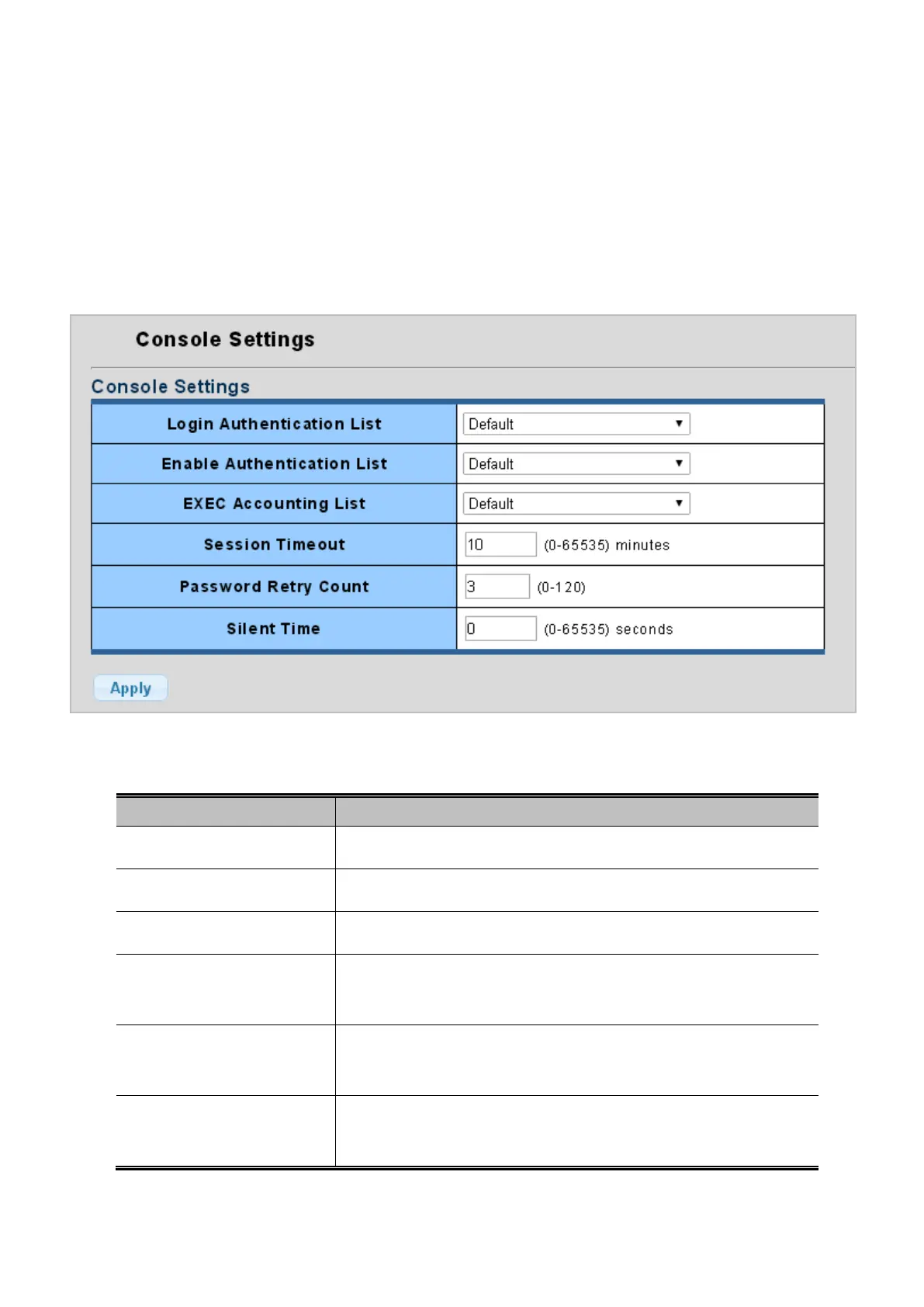
The Console Settings and Information screens in Figure 4-9-62 and Figure 4-9-63 appear.
Figure 4-9-62: Console Settings Page Screenshot
The page includes the following fields:
Object Description
• Login Authentication List
Select login authentication list for this drop down list.
• Enable Authentication List
Select enable authentication list for this drop down list.
• EXEC Accounting List
Select EXEC accounting list for this drop down list.
• Session Timeout
Set the session timeout value. Default is 10 and available range is 0-65535
minutes.
• Password Retry Count
Set the password retry count value. Default is 3 and available range is
0-120.
• Silent Time
Set the silent time value. Default is 0 and available range is 0-65535
seconds.



 To Next Page
 Loading...










