User’s Manual of GS-4210-16T2S_24T2S_16P2S_24P2S_48T4S
4.12.4 LLDP Local Device
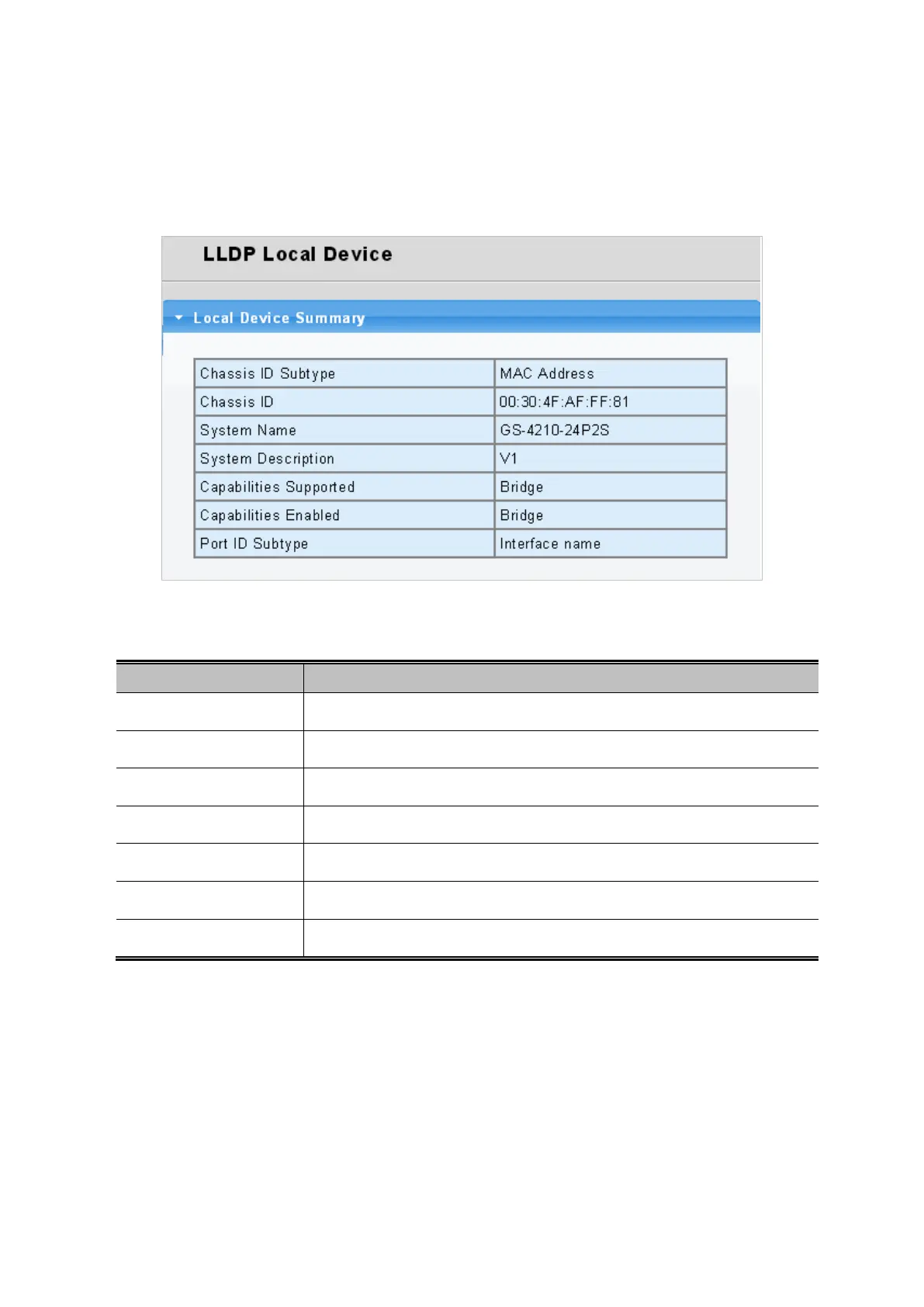
Use the LLDP Local Device Information screen to display information about the switch, such as its MAC address, chassis ID,
management IP address, and port information. The Local Device Summary and Port Status screens in Figure 4-12-7 and
Figure 4-12-8 appear.
Figure 4-12-7: Local Device Summary Page Screenshot
The page includes the following fields:
Object Description
• Chassis ID Subtype
Display the current chassis ID subtype.
• Chassis ID
Display the current chassis ID.
• System Name
Display the current system name.
• System Description
Display the current system description.
• Capabilities Supported
Display the current capabilities supported.
• Capabilities Enabled
Display the current capabilities enabled.
• Port ID Subtype
Display the current port ID subtype.



 To Next Page
 Loading...










