User’s Manual of GS-4210-16T2S_24T2S_16P2S_24P2S_48T4S
4.16.3 Backup Manager
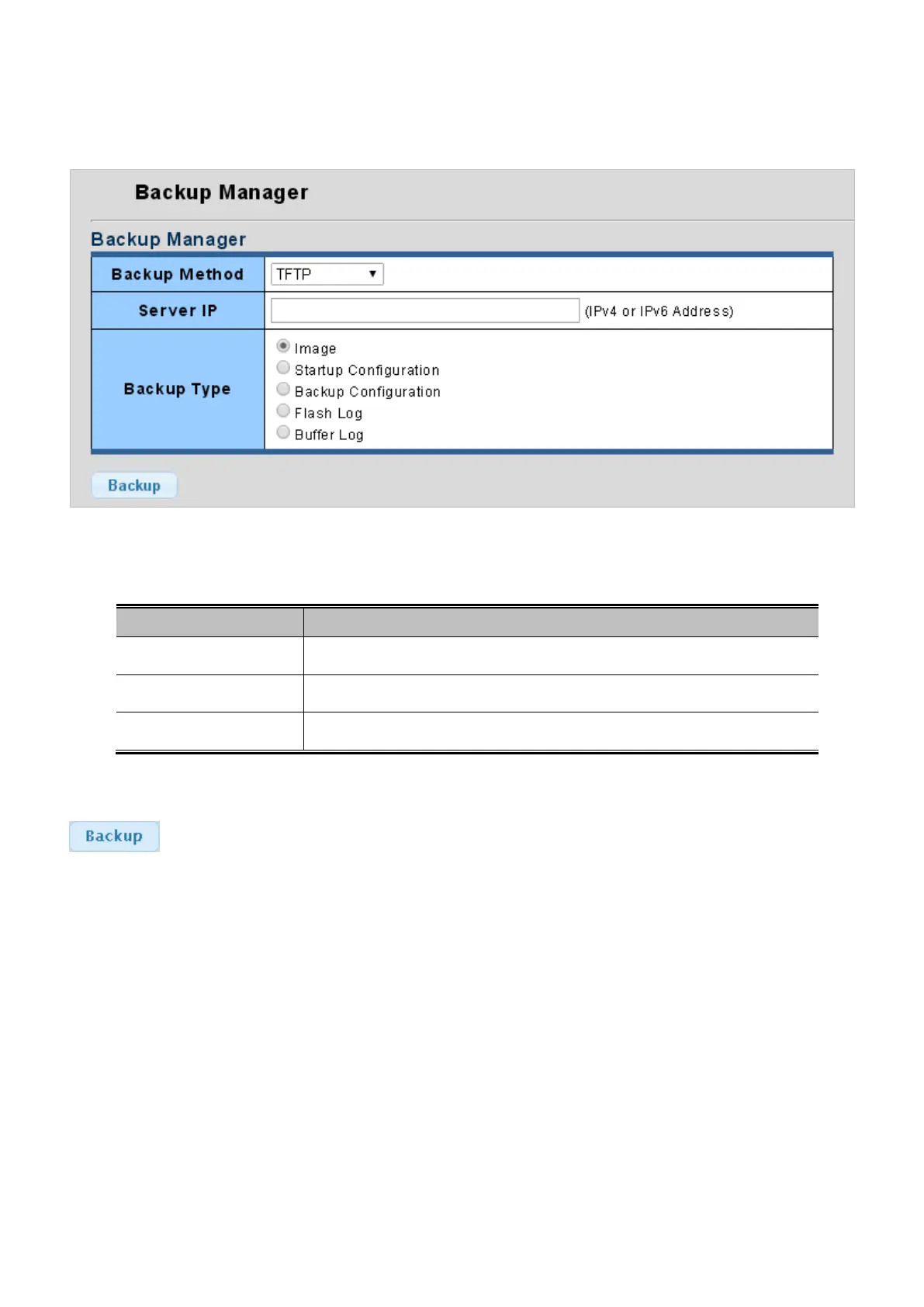
This function allows backup of the current image or configuration of the Managed Switch to the local management station. The
Backup Manager screen in Figure 4-16-3 appears.
Figure 4-16-3: Backup Manager Page Screenshot
The page includes the following fields:
Object Description
• Backup Method
Select backup method from this drop down list. The optios are TFTP and HTTP.
• Server IP
Fill in your TFTP server IP address.
• Backup Type
Select backup type.
Button
: Click to backup image, configuration or log.



 To Next Page
 Loading...










