User’s Manual of GS-4210-16T2S_24T2S_16P2S_24P2S_48T4S
4.10.7 ACL Binding
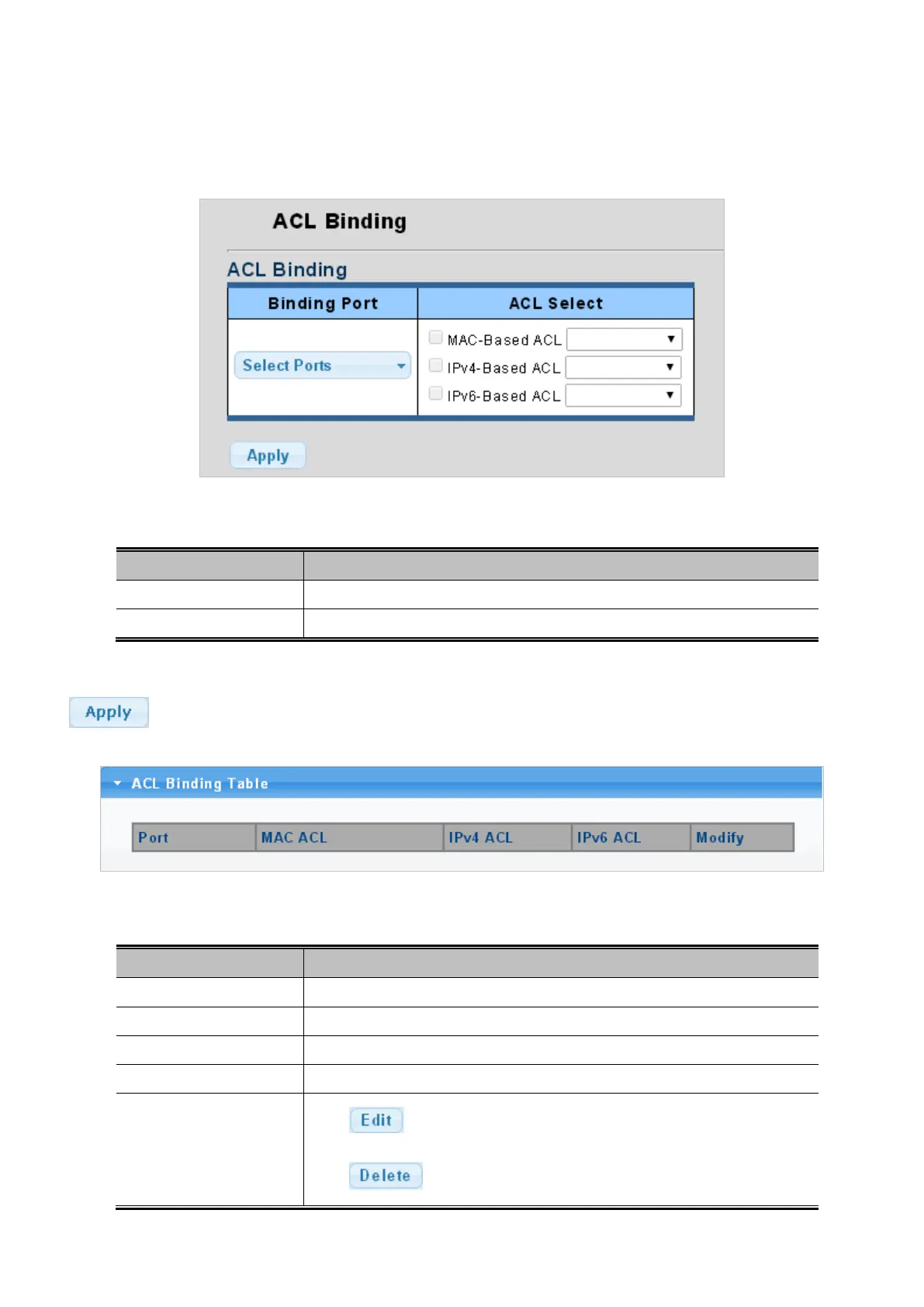
This page allows you to bind the Policy content to the appropriate ACLs. The ACL Policy screens in Figure 4-10-13 & Figure
4-10-14 appears.
Figure 4-10-13: ACL Binding Page Screenshot
The page includes the following fields:
Object Description
• Binding Port
Select port for this drop down list.
• ACL Select
Select ACL list for this drop down list.
Button
: Click to apply changes.
Figure 4-10-14: ACL Binding Table Page Screenshot
The page includes the following fields:
Object Description
• Port
The switch port number of the logical port.
• MAC ACL
Display the current MAC ACL
• IPv4 ACL
Display the current IPv4 ACL
• IPv6 ACL
Display the current IPv6 ACL
• Modify
Click
to edit ACL binding table parameter.
Click to delete ACL binding entry.



 To Next Page
 Loading...










