User’s Manual of GS-4210-16T2S_24T2S_16P2S_24P2S_48T4S
4.15.5 RMON History
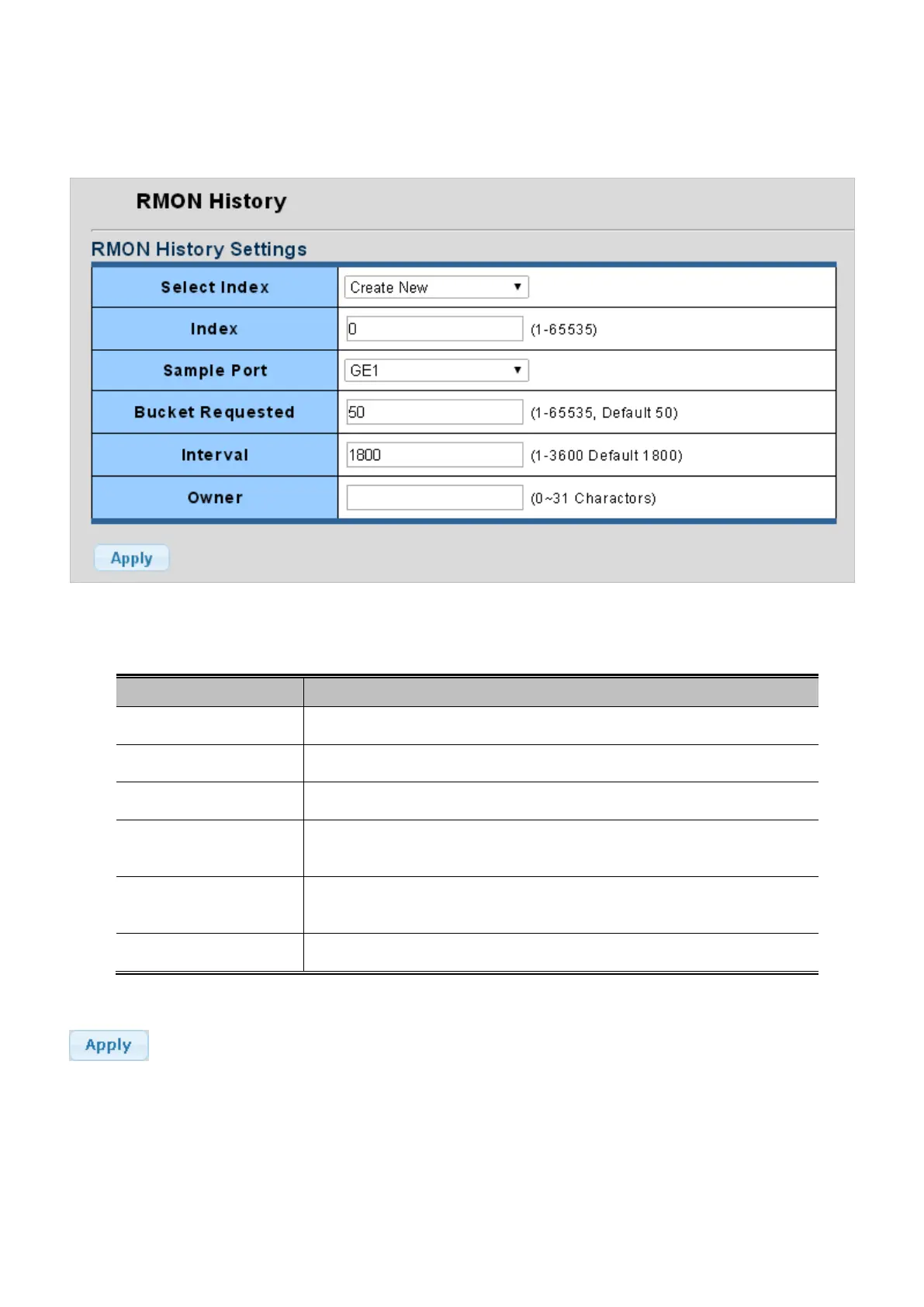
Configure RMON History table on this page. The RMON History screens in Figure 4-15-7 and Figure 4-15-8 appear.
Figure 4-15-7: RMON History Table Page Screenshot
The Page includes the following fields:
Object Description
• Select Index
Select index for this drop down list to create the new index or modify the index
• Index
Indicates the index of the history entry. The range is 1-65535.
• Sample Port
Select port from this drop down list
• Bucket Requested
Indicates the maximum data entries associated this History control entry stored in
RMON. The range is from 1 to 65535, default value is 50.
• Interval
Indicates the interval in seconds for sampling the history statistics data. The
range is from 1 to 3600, default value is 1800 seconds.
• Owner
Specify an owner for the history. The range is 1-31 charactors.
Button
: Click to apply changes.



 To Next Page
 Loading...










