User’s Manual of GS-4210-16T2S_24T2S_16P2S_24P2S_48T4S
• Method List
Display the current method list.
• Modify
Click
to edit login authentication list parameter.
Click to delete login authentication list entry.
4.9.8.3 Accounting List
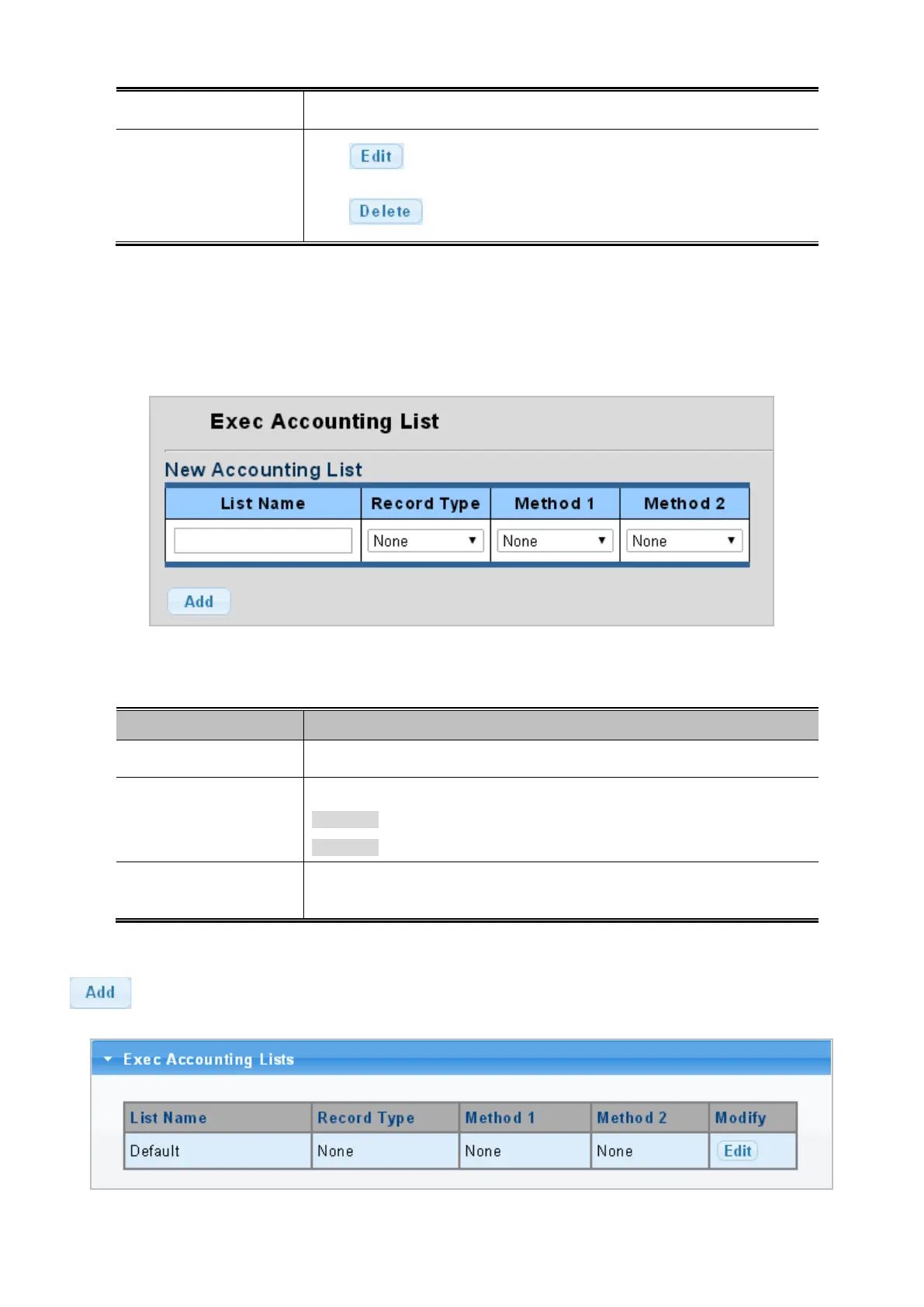
This page is to accounting list parameters. The authentication list screens in Figure 4-9-52 and Figure 4-9-53 appear.
Figure 4-9-52: New Accounting List Screenshot
The page includes the following fields:
Object Description
• List Name
Defines a name for the accounting list, the available length is 31 characters.
• Record Type
Provide following record type:
Start-Stop (Default mode)
Stop-Only
• Method 1-2
Set the login accounting method:
TACACS+/RADIUS
Button
: Click to add accounting list.
Figure 4-9-53: Accounting List Screenshot



 To Next Page
 Loading...










