User’s Manual of GS-4210-16T2S_24T2S_16P2S_24P2S_48T4S
• Untrust Port Dropped
Display untrust port dropped
• Untrust Port with
Option82 Dropped
Display untrust port with option82 dropped
• Invaild Dropped
Display invalid dropped
Buttons
: Click to clear the statistics.
: Click to refresh the statistics.
4.9.3.6 Rate Limit
After enabling DHCP snooping, the switch will monitor all the DHCP messages and implement software transmission. The
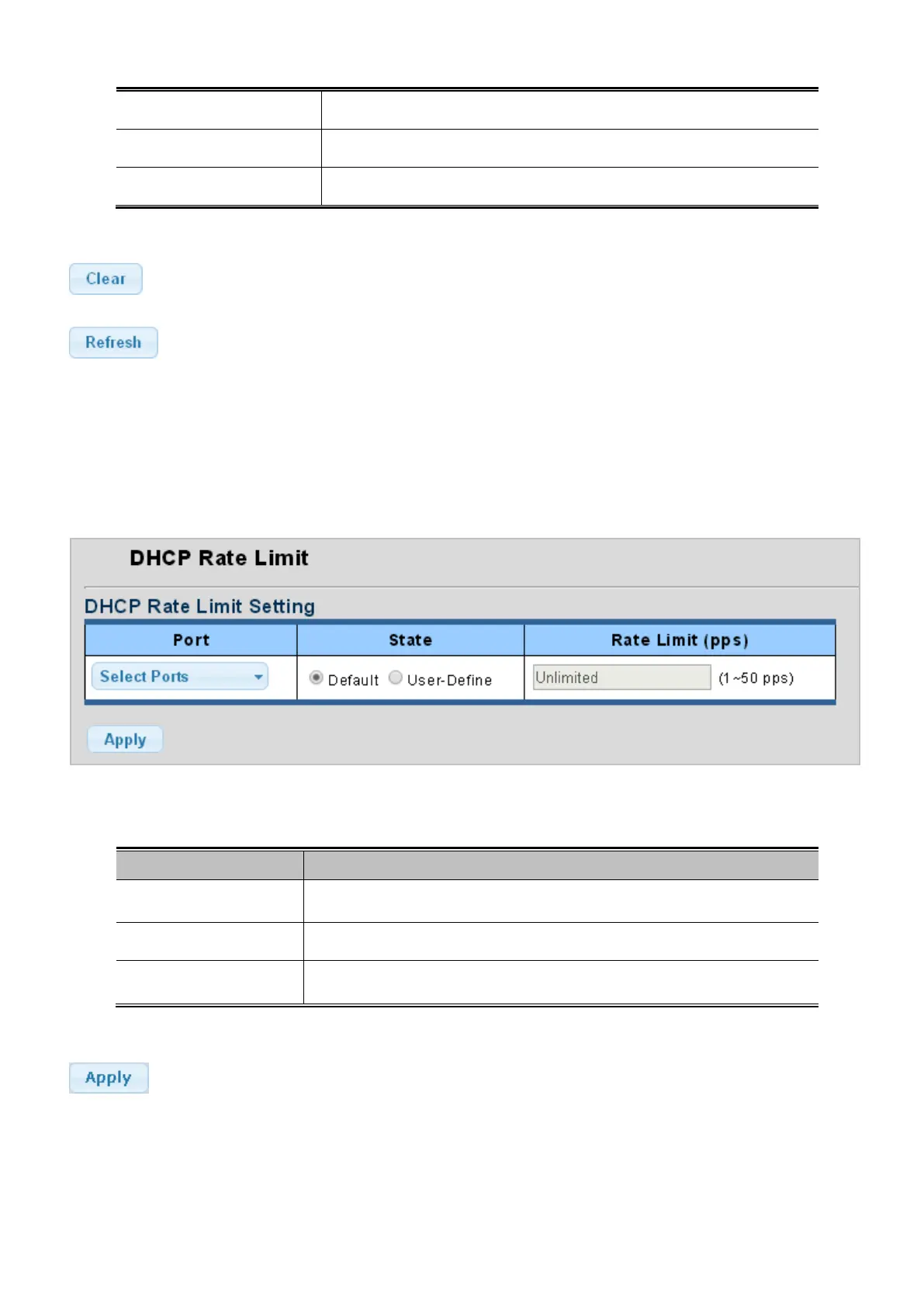
DHCP Rate Limit Setting and Config screens in Figure 4-9-21 and Figure 4-9-22 appear.
Figure 4-9-21: DHCP Rate Limit Setting Page Screenshot
The page includes the following fields:
Object Description
• Port
Select port for this drop down list.
• State
Set default or user-define.
• Rate Limit (pps)
Configure the rate limit for the port policer. The default value is "unlimited". Valid
values are in the range 1 to 50 and unit is pps.
Button
: Click to apply changes.



 To Next Page
 Loading...










