User’s Manual of GS-4210-16T2S_24T2S_16P2S_24P2S_48T4S
4.7.4.2 MLD Static Group
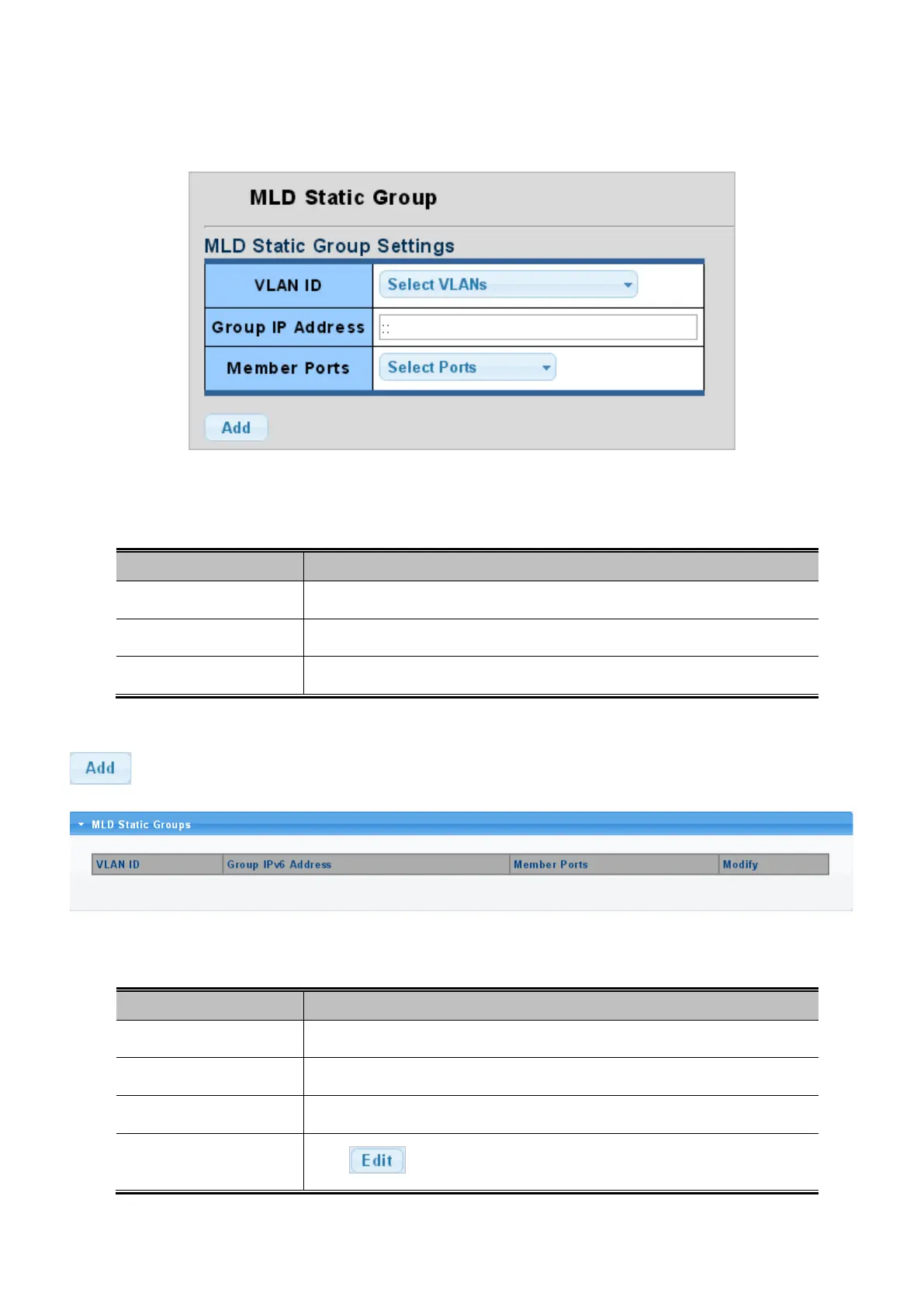
The MLD Static Group configuration screens in Figure 4-7-25 and Figure 4-7-26 appear.
Figure 4-7-25: Add MLD Static Group Page Screenshot
The page includes the following fields:
Object Description
• VLAN ID
Select VLAN ID for this drop down list.
• Group IP Address
The IP address for a specific multicast service.
• Member Ports
Select port number for this drop down list.
Button
: Click to add IGMP router port entry.
Figure 4-7-26: MLD Static Groups Page Screenshot
The page includes the following fields:
Object Description
• VLAN ID
Display the current VLAN ID.
• Group IPv6 Address
Display the current group IPv6 address.
• Member Ports
Display the current member ports.
• Modify
Click to edit parameter.



 To Next Page
 Loading...










