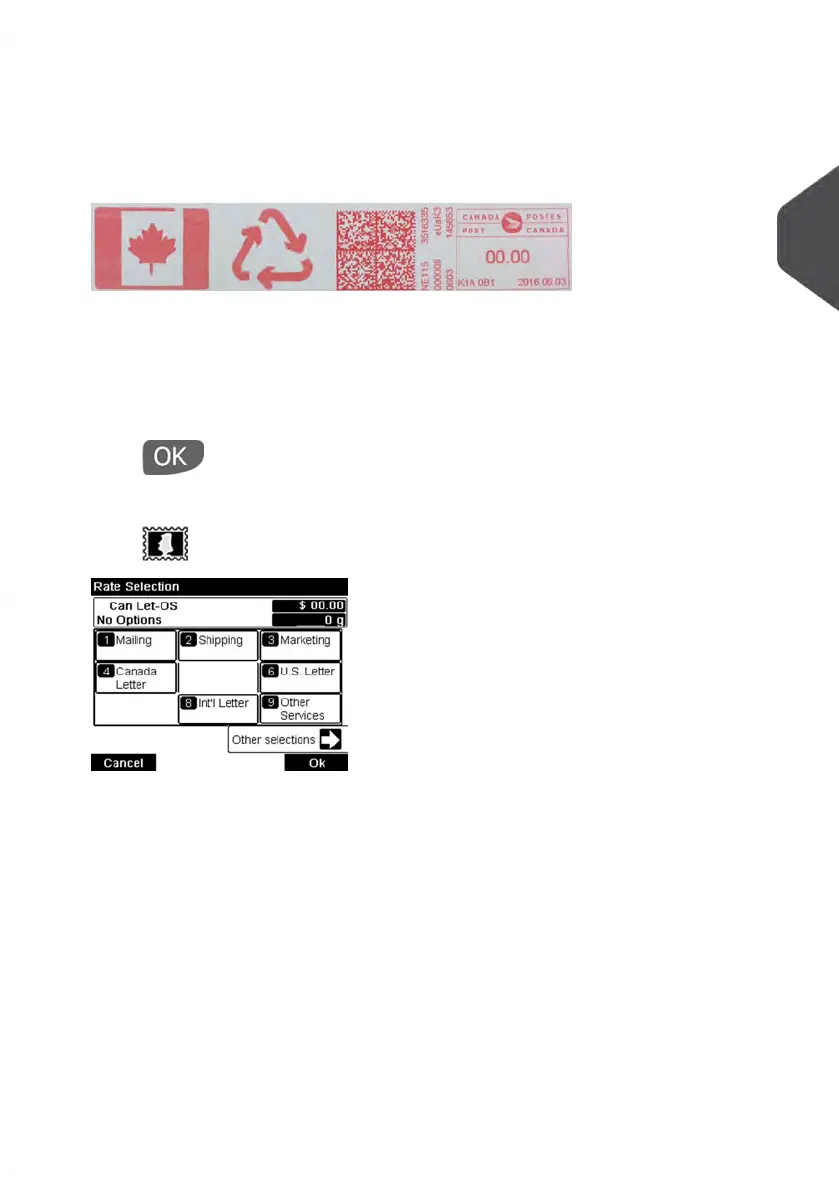
3. Additionally, you can also configure your Impression by selecting from options
displayed on the Build Impression Screen:
Change Imprint left or right:
The system supports Imprint left and Imprint right. These flexible areas allow you to
select 2 Slogans.Therefore you can print a Meter Impression with 2 slogans.
To select a Slogan, see How to Add or Remove a Slogan on page 78.
To check or change the Date:
Select Date, then select a Date Option displayed on the Date Advance Screen. For
more details, see How to Change the Date on page 77.
Press to return to the home screen.
4. Select a Postage Rate and add Options.
Press to open the Rate selection screen.
Type a rate number to select a rate or display new rate options.
Select Other selections to gain access to the Postage Rate History or Rate wizard
options that follow:
- Select Postage Rate History to choose a recently selected rate.
- Select Rate wizard to choose rate options in lists (includes rates not shown on
rate selection screen).
For more details, see Selecting a Rate on page 69.
3
Processing Mail
39
| Page 39 | Jan-13-2017 10:45 |















 To Next Page