1. As supervisor (see How to Log in as Supervisor on page 241):
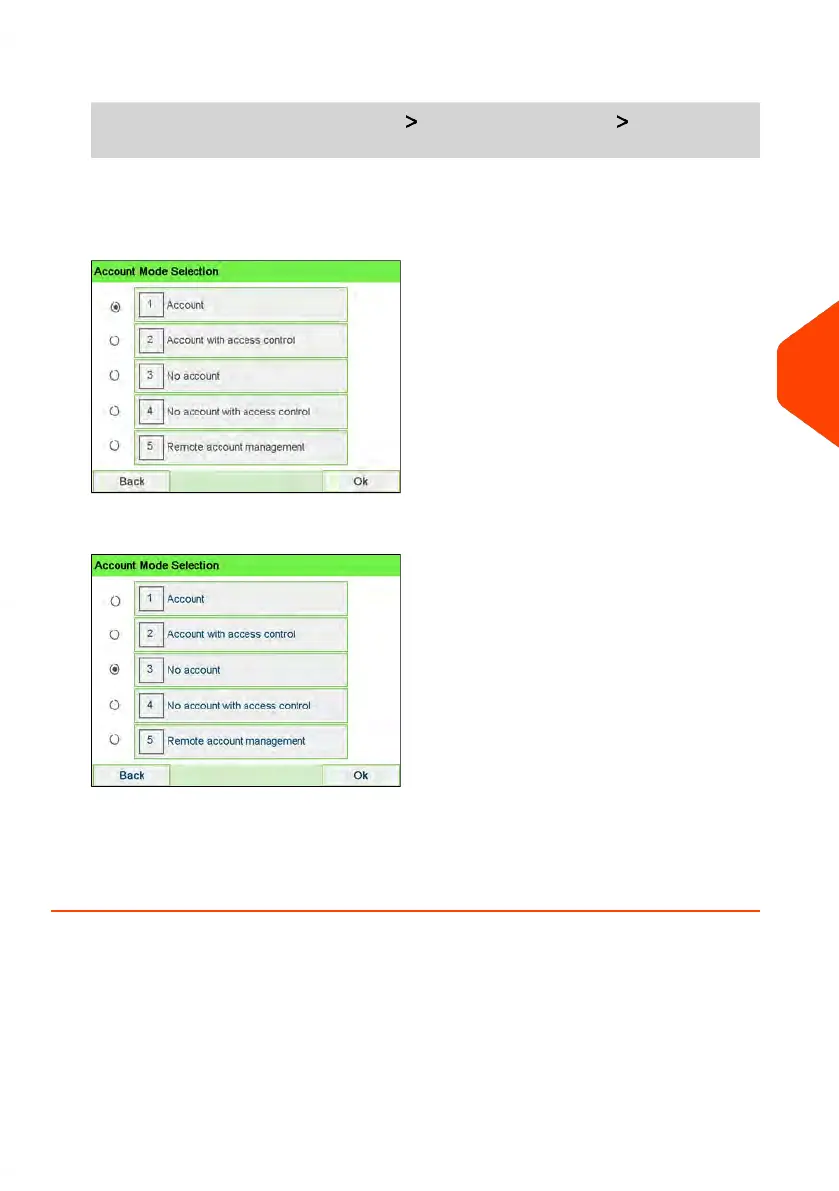
From the main menu, select the path: Account Management Account Mode
Selection
The Account Mode Selection screen is displayed with the current 'Account Mode'
shown.
2. Select 'No Account'.
3. Press [OK] to confirm.
4. If required, enter the PIN code and press [OK].
The Mailing System then confirms that the 'Account Mode' has been changed.
6
Accounts and Access Control
143
| Page 143 | Jun-22-2021 11:01 |















 To Next Page