How to Assign Accounts to an Operator
You can define the Accounts Access to each operator, by assigning accounts, groups
or subgroups of accounts to the operator.
Assigning a group (or subgroup) automatically assigns all the accounts of the group.
If you assign a group (or subgroup) to an operator, all accounts
you will add afterwards to the group will be automatically
assigned to the operator. On user screens, only accounts are
displayed. Groups and subgroups are only visible to the
supervisor.
On user screens, only accounts are displayed. Groups and
subgroups are only visible to the supervisor.
To create/change the list of Accounts an Operator has access to:
1. Follow the procedure How to Modify an Existing Operator on page 172 until the
Edit modify screen, and select Account list.
The Account List screen is displayed.
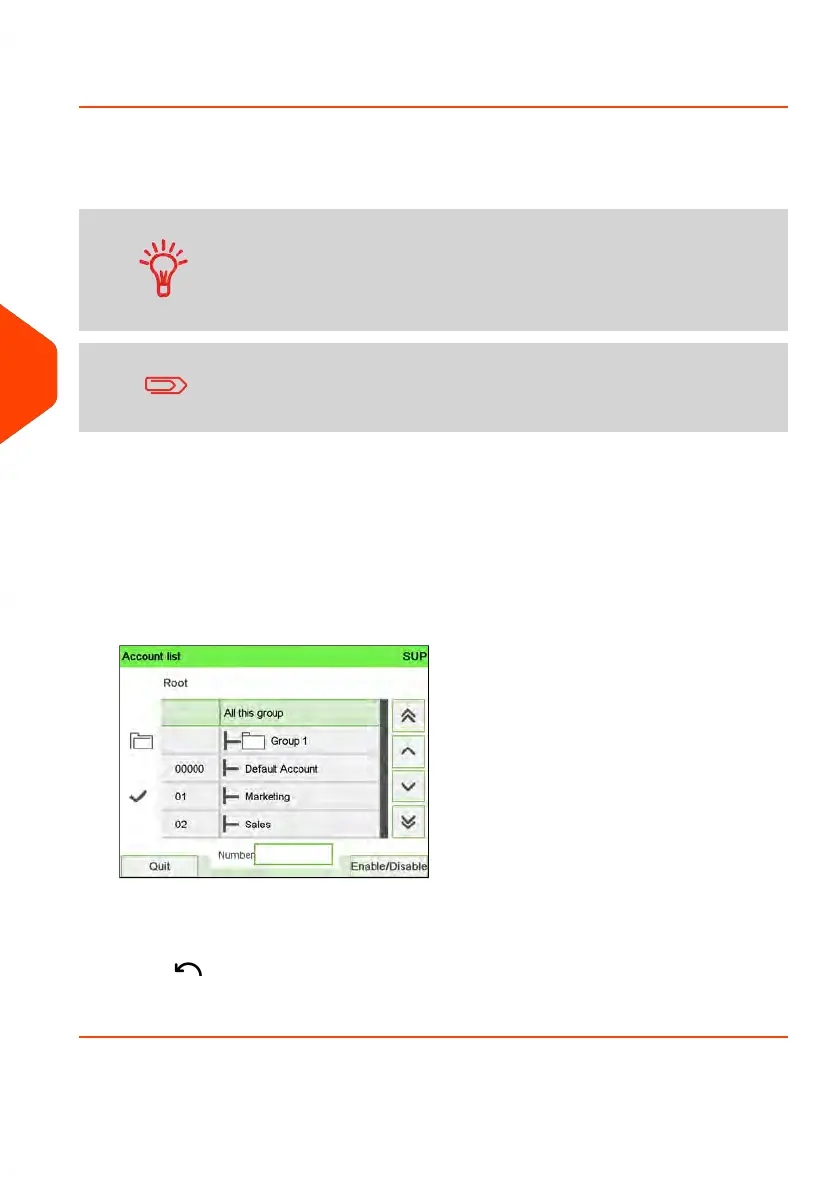
2. Select Add Account / Group.
The Account list screen is displayed.
3. You can allocate entire groups or subgroups to the operator: select the group and
press [OK] (Enable/Disable). Repeat until all accounts to be assigned are checked.
4.
Press to return to the Edit/Modify screen.
5. Press [OK] to accept the changes.
174
| Page 174 | Jun-22-2021 11:01 |
6
Accounts and Access Control















 To Next Page