How to Display and Change to 'No Account with Access
Control' Mode
No Account With Access Control
• Postage usage is not tracked by account.
• User does not select an account when processing mail.
• A PIN number is required to access functions and process
mail.
• In this mode there is a shared System PIN Code.
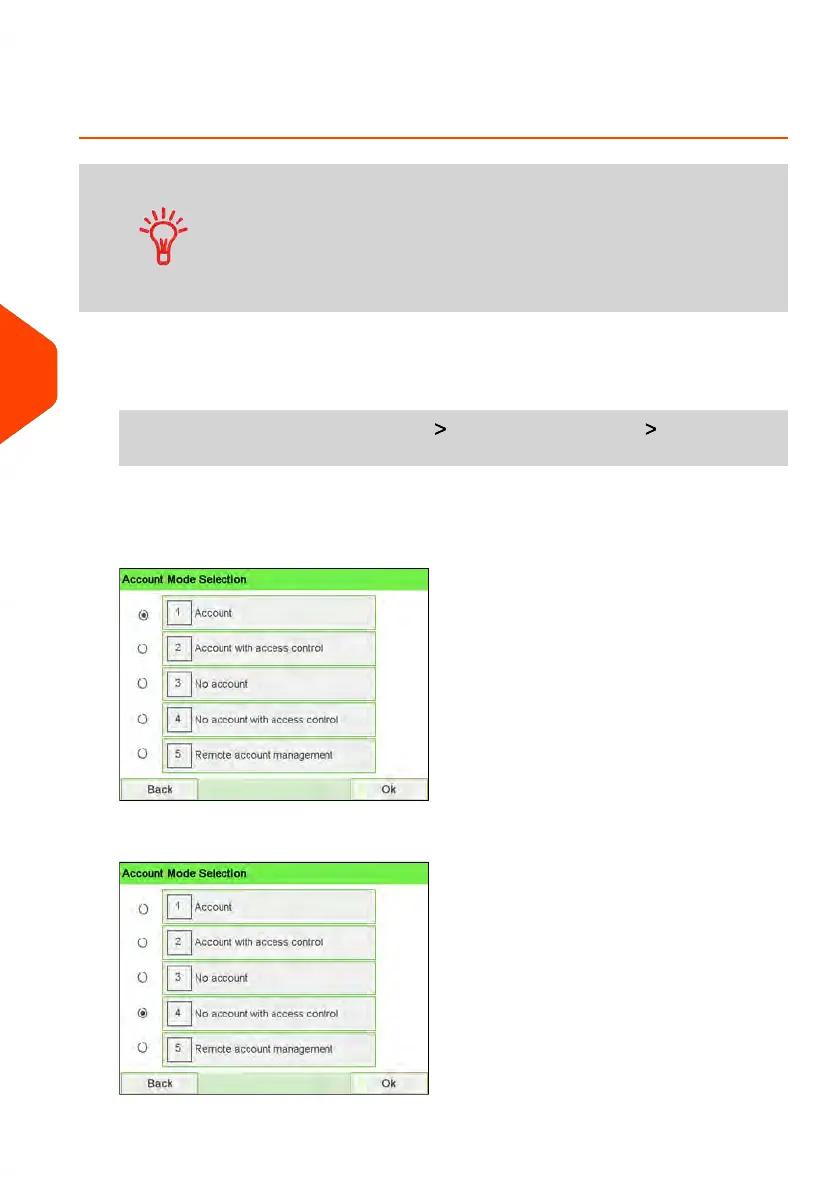
To display and change the 'Account mode' to 'No Account with Access Control':
1. As supervisor (see How to Log in as Supervisor on page 241):
From the main menu, select the path: Account Management Account Mode
Selection
The Account Mode Selection screen is displayed with the current 'Account Mode'
shown.
2. Select 'No Account with Access Control'.
144
| Page 144 | Jun-22-2021 11:01 |
6
Accounts and Access Control















 To Next Page