Sealer12.2
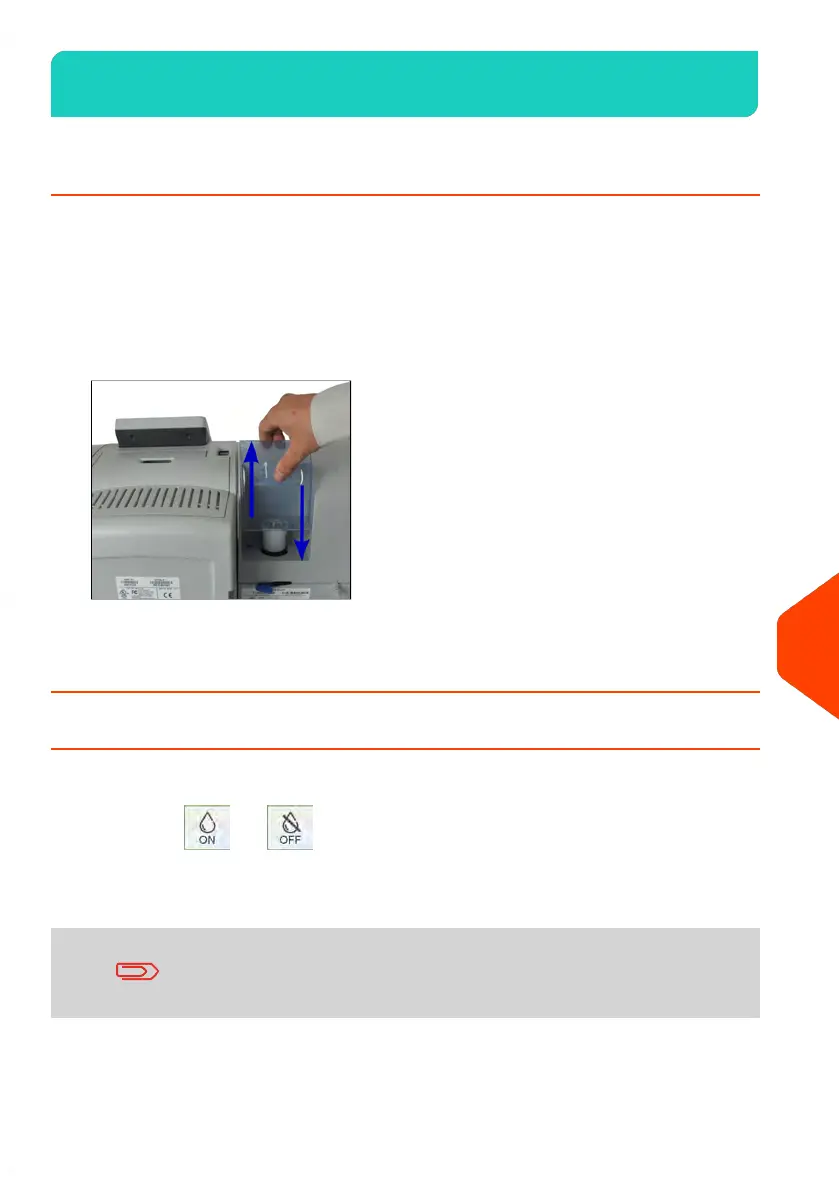
How to Fill the Sealer Bottle
The Automatic Feeder uses water for sealing envelopes.
If the system is out of water, the mailing process continues but the envelopes will not
sealed properly.
To add water (or sealing solution) to the bottle:
1. Remove the bottle from its base and turn it over.
2. Unscrew the cap and fill the bottle with water up to the limit marks.
3. Screw the cap back and put the bottle back into place.
How to Turn the Sealer On/Off
You can activate or deactivate the Sealing Function as needed.
The Sealing On /Off icon in the Home Screen indicates the current state of
the Sealing Function.
Sealer may be inactive by default. To set the default Sealing Setting, see supervisor
setting How to Set the Default Sealing Mode on page 282.
Do not insert envelopes already sealed in the Feeder when the
Sealing Function is ON: the envelopes could jam.
To turn sealing on/off:
335
| Page 335 | | Jun-22-2021 11:01 |
12
Maintaining















 To Next Page