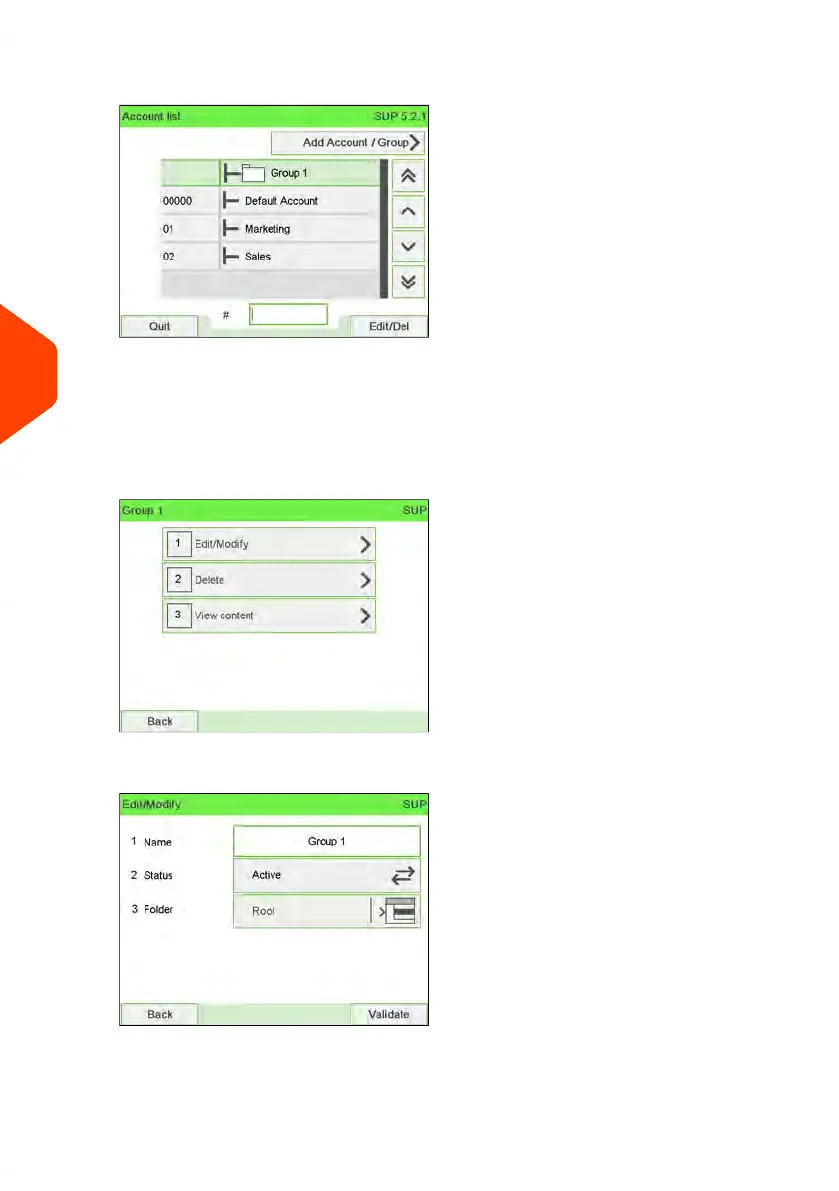
2. Select the Group (use the double arrows to scroll through the list).
A Group that is not in the list is probably a Subgroup: select its Parent Group,
press Edit/Del. and then select View content to display the content of the Group.
Select the Subgroup in the list.
3. Press [OK] (Edit/Del).
The Group management Screen is displayed.
4. Select Edit/Modify.
162
| Page 162 | Jun-22-2021 11:01 |
6
Accounts and Access Control














 To Next Page