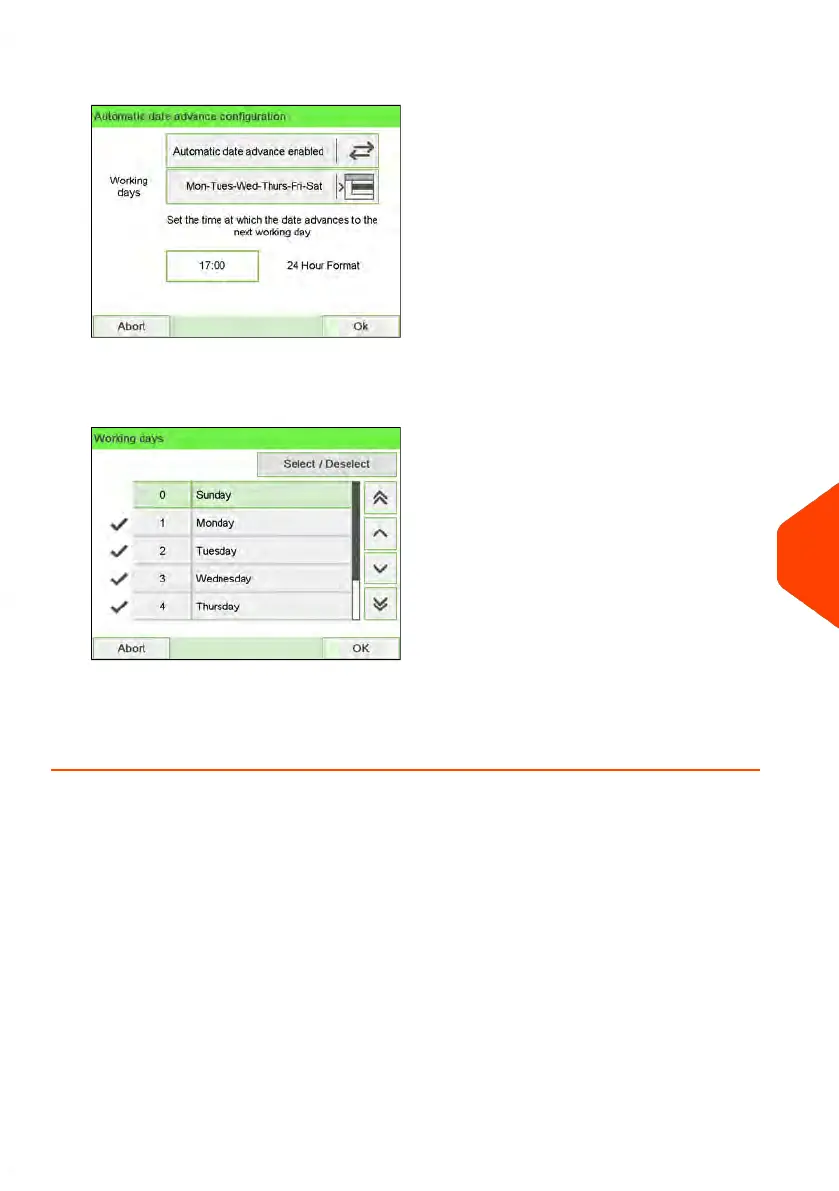
2. Press the Auto Date Advance button to Enabled status.
3. Enter the Automatic Date Advance time (00:00 hours is not allowed).
4. Select Working Days to gain access to working days selection screen.
5. Tap the day or select the day and press Select/Deselect to select or unselect each
day.
6. Press [OK] to exit.
10
Configuring your Mailing System
291
| Page 291 | Jun-22-2021 11:01 |















 To Next Page