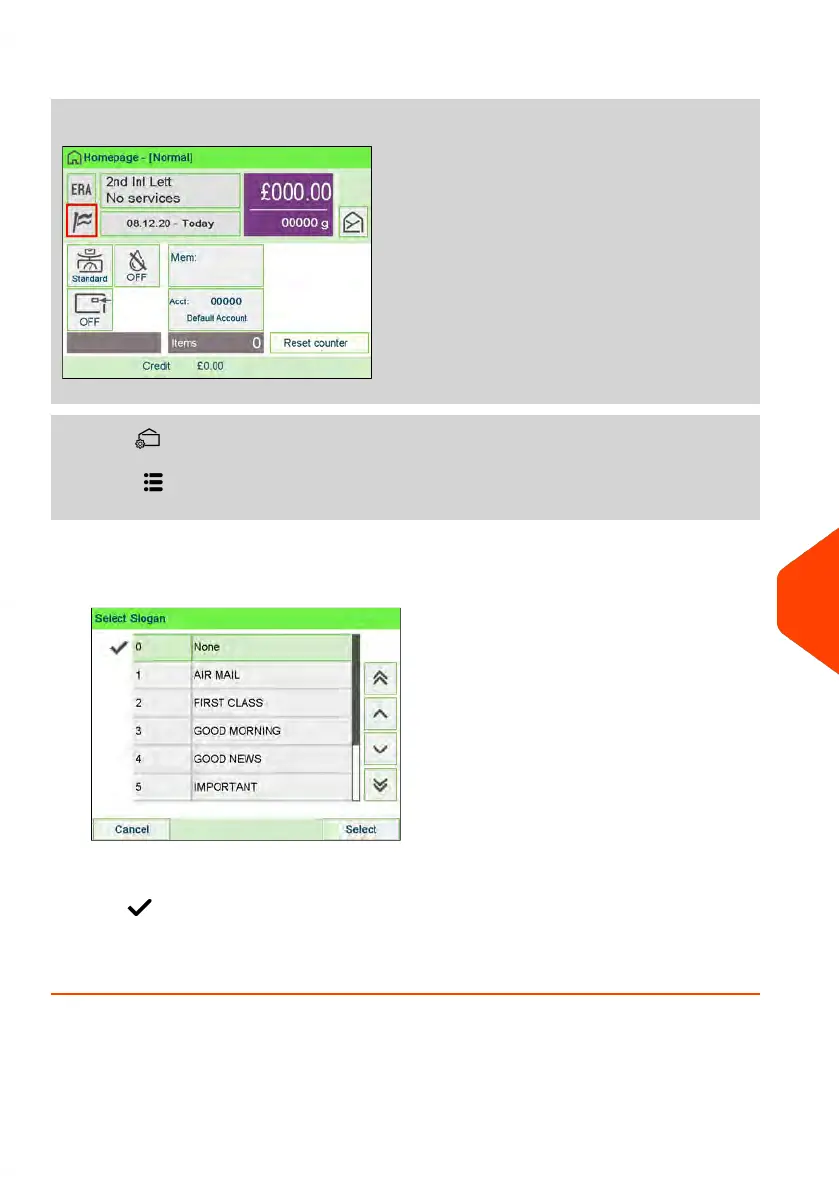
1. Either:
Tap the Slogan zone on the screen.
or Press
or Press and select the path: Imprint
2. Select Slogan list.
The Select Slogan screen is displayed.
3. Select the slogan in the list or select None for printing no slogan.
The icon indicates the current selection.
See also
• Managing Slogans on page 304.
11
Options and Updates
305
| Page 305 | Jun-22-2021 11:01 |















 To Next Page