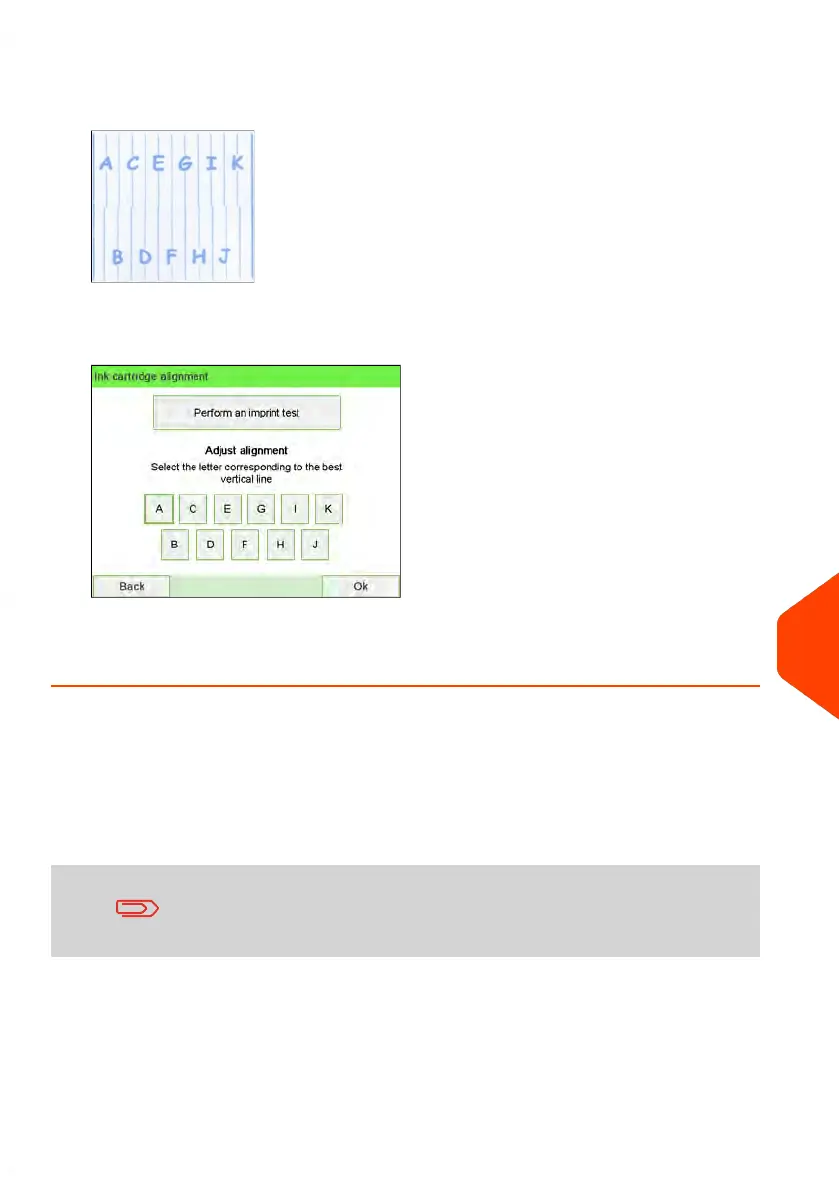
2. Press [Perform an imprint test] and put a piece of paper in the mail transport.
The system prints a test pattern.
3. Check the printed pattern and press the letter that corresponds to the straightest
and complete vertical line.
4. Press [OK] to validate.
5. Repeat the previous step until lines F are aligned.
Ink Management Service
The Ink Management service sends an electronic message to the Online Services server
when the mailing machine’s ink supply is running low.
An e-mail message then informs you of that condition so that the ink cartridge can be
replaced in time.
For more information, please contact your Customer Service.
12
Maintaining
333
| Page 333 | Jun-22-2021 11:01 |















 To Next Page