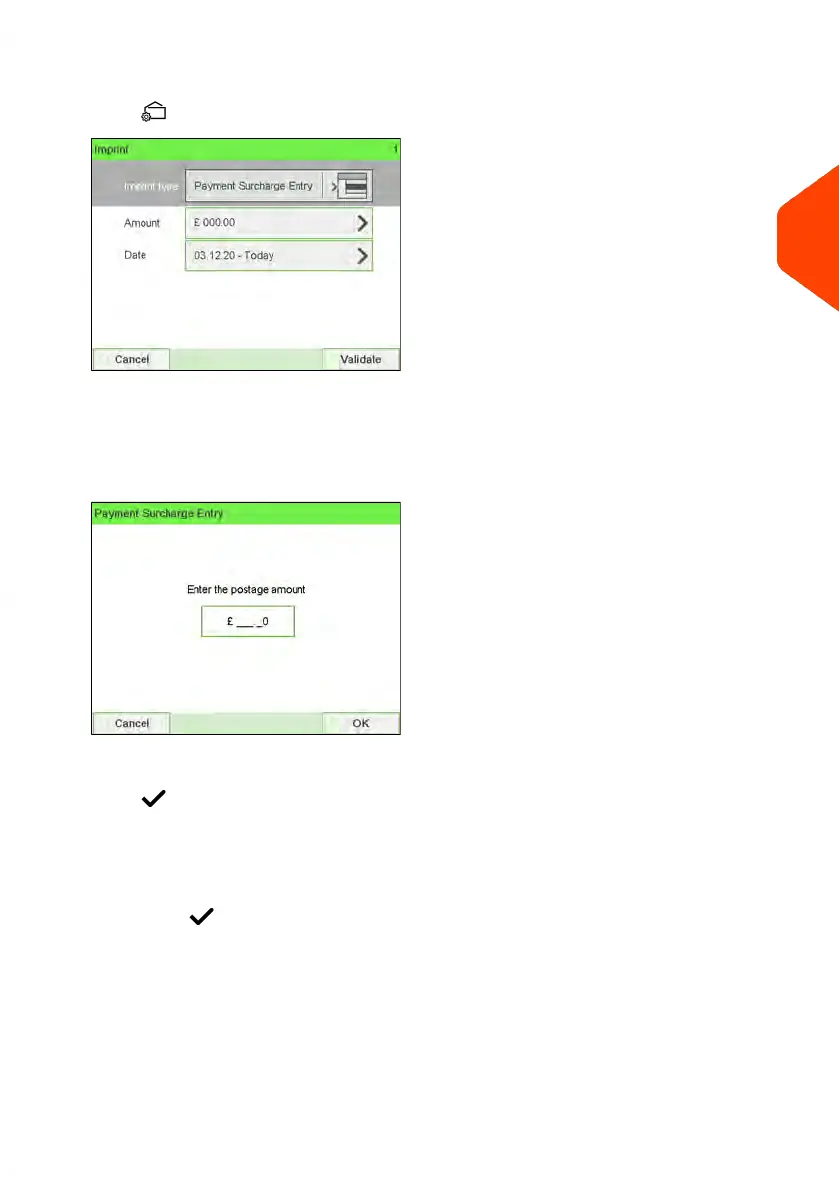
2. Check or change the type of imprint.
Press to access the Imprint screen:
To change the type of imprint, select Imprint type and then select [Payment
Surcharge Entry] in the Type of imprint screen. For more details, see How to
Change the 'Current Type of Imprint' on page 39.
3. Select Amount and enter the desired amount.
Press [OK] to validate.
Press to return to the home screen.
4. [Payment Surcharge Entry] type of imprint also allows you to correct the Date if
necessary.
- Select Date and then select a date option in the Date Advance Screen.
-
Press to return the home screen.
You can also apply this optional setting:
1. Move the imprint away from the envelope edge for thick envelopes: see How to
Move the Imprint (Print Offset) on page 110.
On the [Payment Surcharge Entry] home screen:
3
Processing Mail
67
| Page 67 | Jun-22-2021 11:01 |















 To Next Page