109
ESP-LXIVM Series Controllers
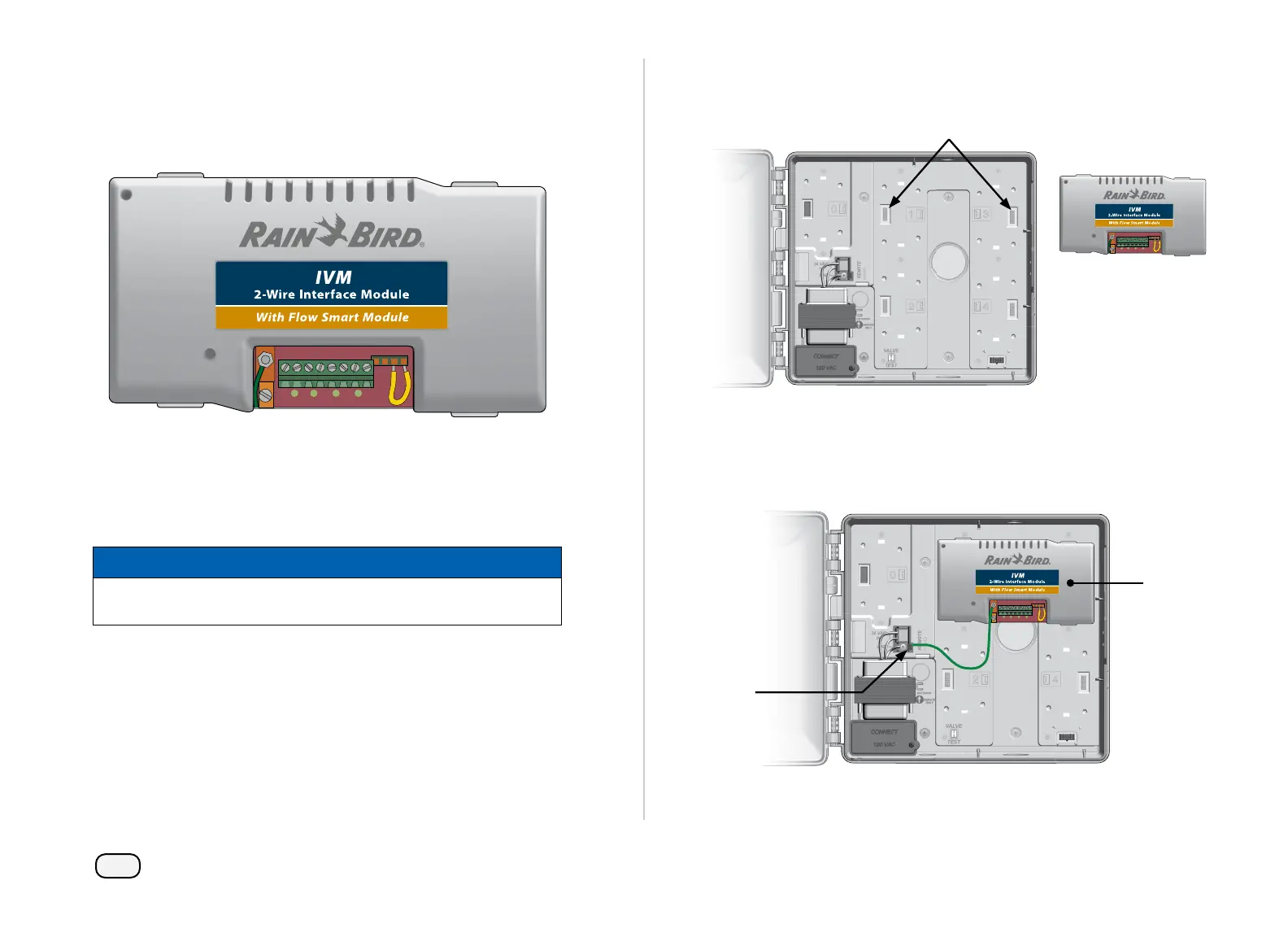
Install IVM 2-Wire Interface Module
An IVM 2-Wire Interface Module is required for operation and is
included with every LX-IVM controller. The IVM Module powers and
provides an interface from the controller to the 2-Wire path.
IVM 2-Wire Interface Module
The IVM 2-Wire Interface Module must be installed horizontally in
the controller cabinet, as shown. The module can be connected to
either the top set of connectors (module slots 1 and 3) or the bottom
set of connectors (module slots 2 and 4) on the controller backplane.
NOTICE
Be careful not to bend the pins in the sockets when installing
the module.
Orient the connectors on the bottom of the module with the con-
nection sockets on the controller backplane.
Carefully fasten the module onto the controller backplane, press-
ing fi rmly until it snaps into place.
Connect the green ground wire to the ground spade connector
on the left side of the controller backplane.
NOTE: To remove the module again, press in on the (four) release
keys on either side of the module.



 To Next Page
 Loading...










