ESP-LXIVM Series Controllers
11
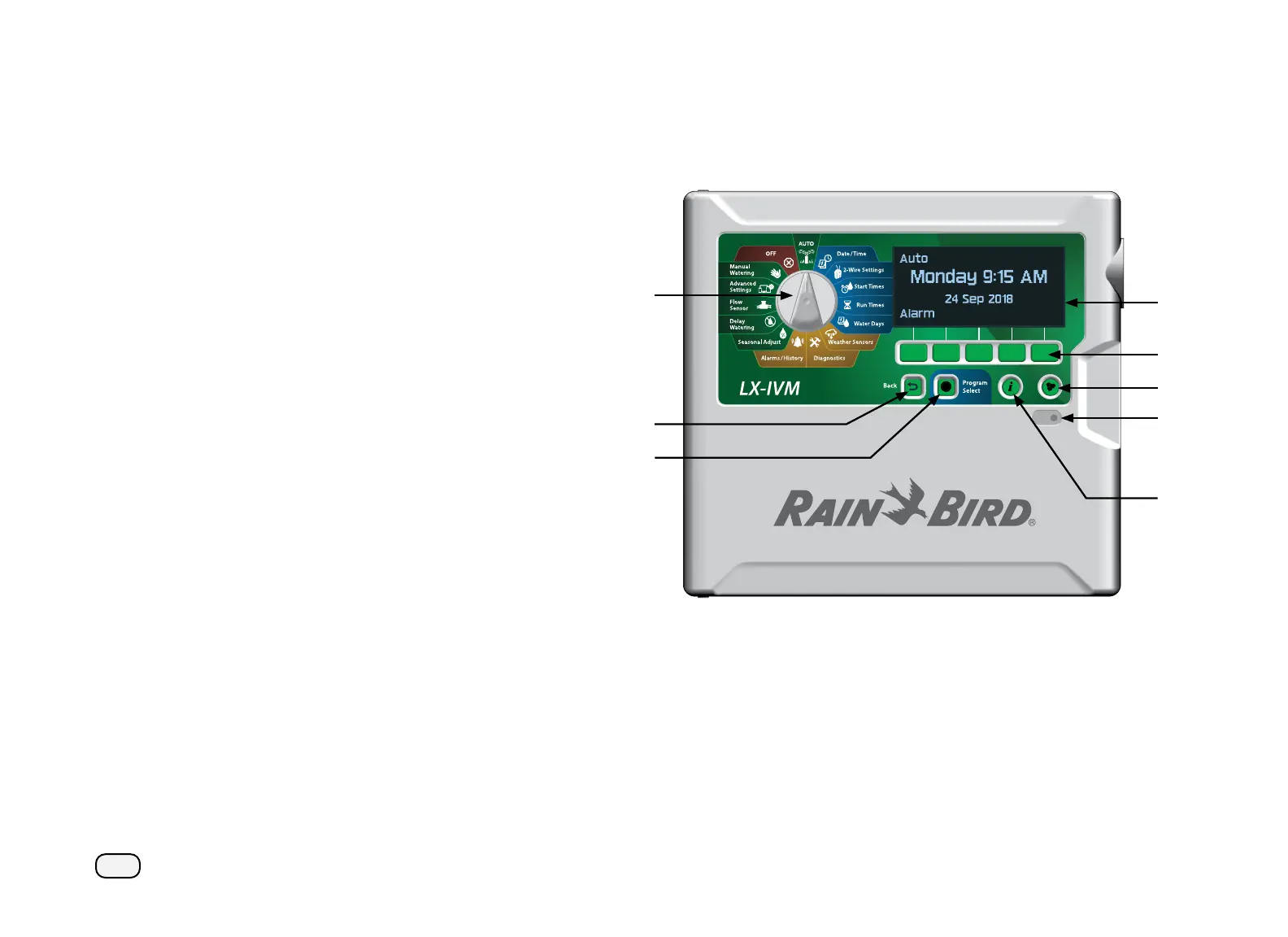
ESP-LXIVM Controller Front Panel Features
Controls, Switches and Indicators
Key operational features of the ESP-LXIVM Controller:
Programming Dial
Used to select irrigation features, programming and to turn the
controller on and off .
Display
Shows time of day during normal operation; shows commands
during programming; shows active station and remaining run
time during watering
Programming Keys
Press keys to set and change program information.
Back Button
During programming, press the Back button to go back to the
previous screen.
Program Select Button
Select the desired watering Program to set independent irriga-
tion schedules.
Information Button
Press to see information about each feature on the dial and
screen.
Language Button
Press to change the interface language. Choose from English,
Spanish, French, German, Portuguese or Italian.
Alarm Light
Illuminates to indicate various types of alarm conditions.



 To Next Page
 Loading...










