117
ESP-LXIVM Series Controllers
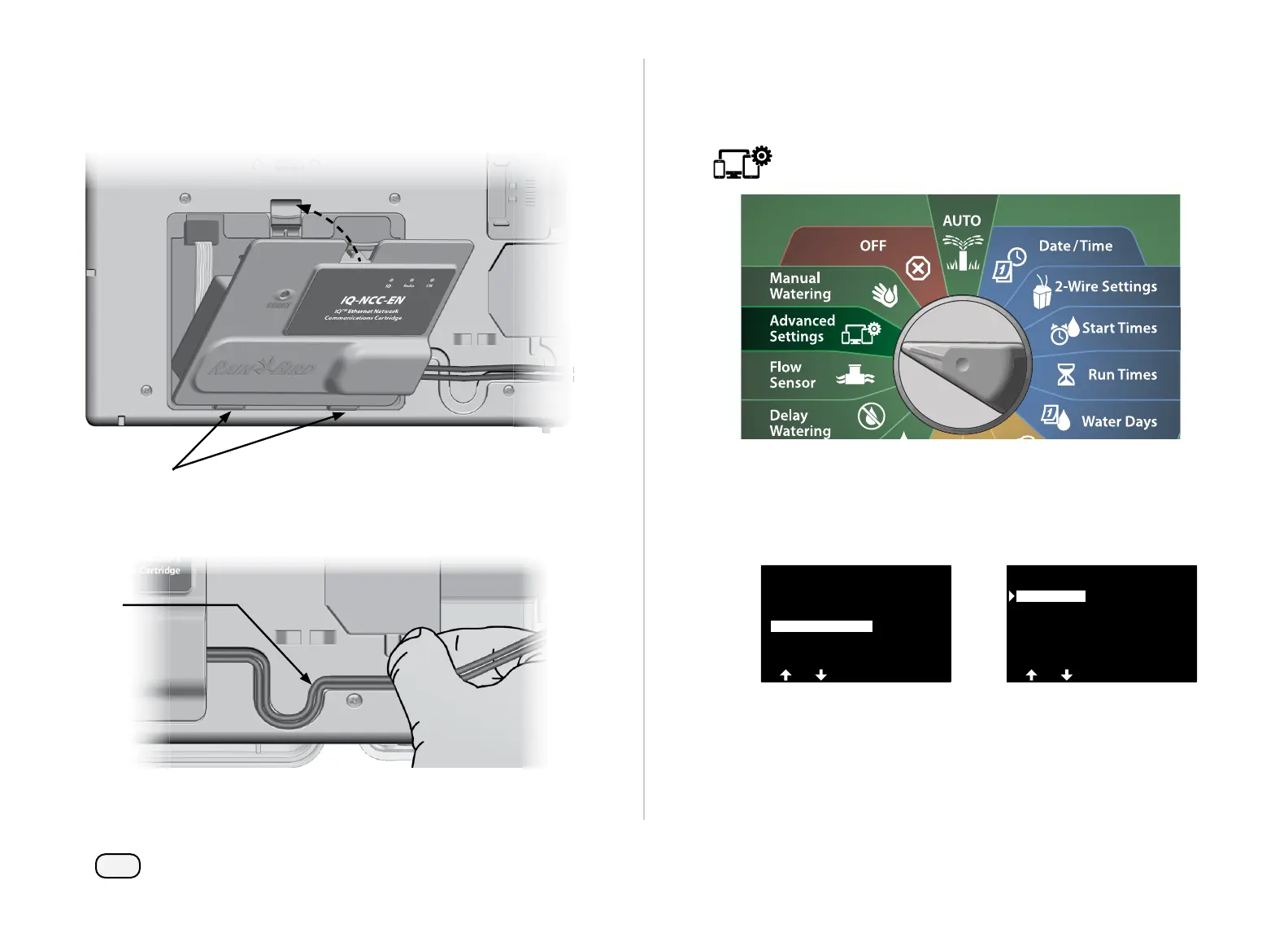
Orient the NCC cartridge so that the two bottom hinges fi t into
the hinge openings at the bottom of the cartridge bay. Then gen-
tly swing the cartridge up into place, snapping the top-latch.
Route the Cartridge Connector Cable through the cable channel
on the back of the controller front panel.
Confi gure NCC Cartridge
Setup Wizard
Turn the controller dial to Advanced Settings
At the IQ / ADVANCED screen, press the Down Arrow key to select
Confi gure Cartridge, then press Next.
At the IQNCC-RS Cartridge screen with Setup Wizard selected,
press Next.
IQ / ADVANCED
About this LX-IVM
Configure Cartridge
Factory Defaults
Store/Recall Programs
IQNCC-RS Cartidge
IQNet Alarms
Status
NCC Configurator
Setup Wizard



 To Next Page
 Loading...










