32
ESP-LXIVM Series Controllers
If necessary, use the + and – keys to set the inside pipe diameter.
A review shows that settings for the Flow Sensor.
Flow Sensor Setup
FS 01
2.90 Inches
Pipe Inside Diameter
Flow Sensor Setup
FS 01
Assigned to:
Master Valve: MV1
FloZone: FZ 1
Repeat this process to set up additional flow sensors. Be sure
to note each flow sensor on your Programming Guide for
future reference.
Set Up Custom Flow Sensor
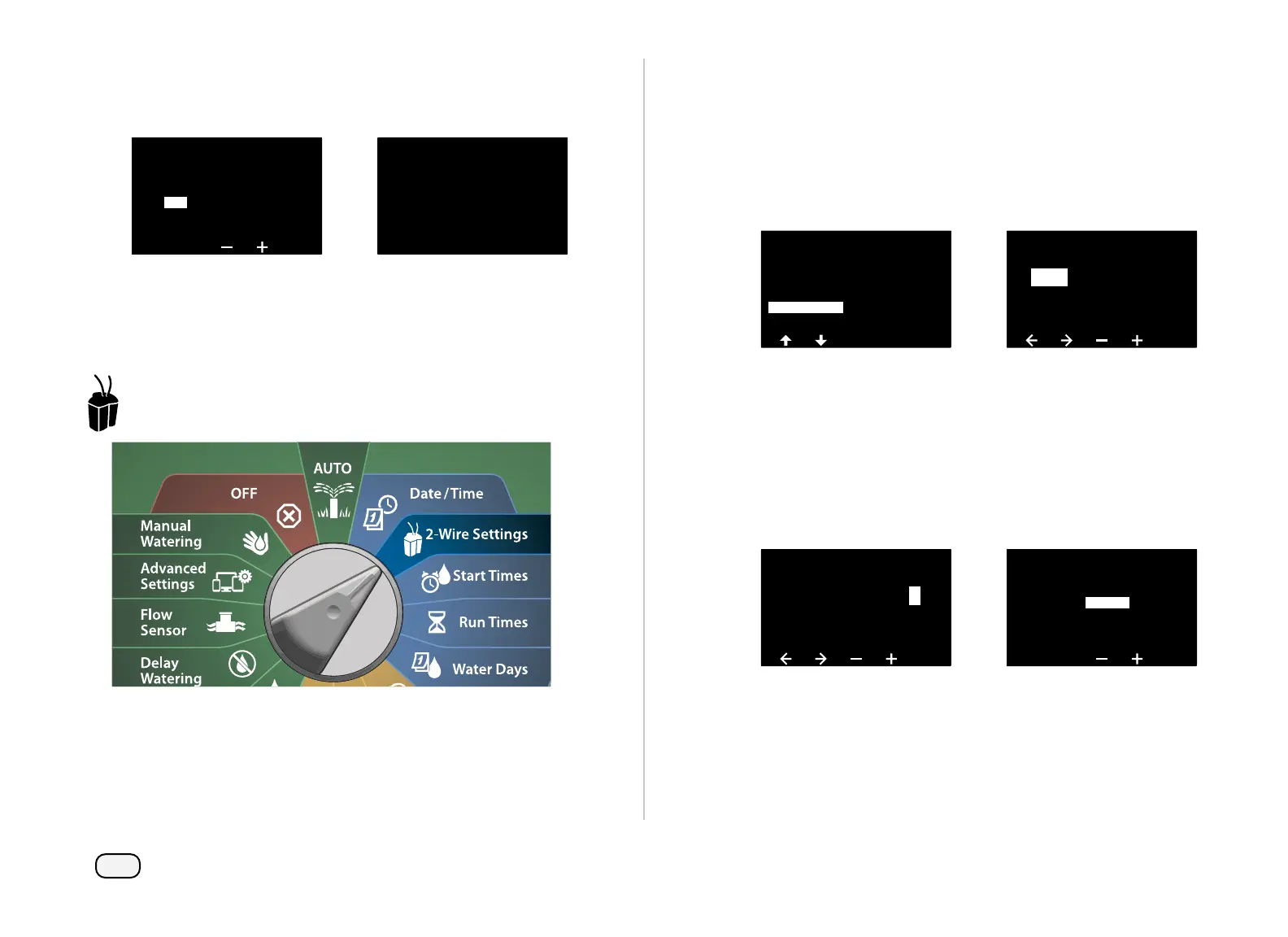
Turn the dial to 2-Wire Settings
At the 2-WIRE SETUP screen, press the Down Arrow key to select
Flow Sensors, then press Next.
At the Flow Sensor Setup screen, press the + and – keys to set the
desired Sensor number from 1-10.
• The LX-IVM can support up to five flow sensors and the LX-IVM
Pro can support up to 10.
2-WIRE SETUP
Master Valves
Weather Sensors
Station Setup
Advanced Station Settings
Flow Sensors
Flow Sensor Setup
01
FS
- - - - -
Address
Press the + and – keys to set the desired Sensor Address. Press the
Arrow keys to navigate between the number setting fields. Once
all fields are entered, press the Next key.
NOTE: An alarm will show if a duplicate 2-Wire Device address
is entered for more than one sensor. See "Alarms" on page 21
for more details.
Press the + and – keys to select Custom, then press Next.
Flow Sensor Setup
FS Address
001
1 0 0 0 1
1
Flow Sensor Setup
FS 01
Type:
Custom



 To Next Page
 Loading...










