COVER FEEDER INSTALLATION
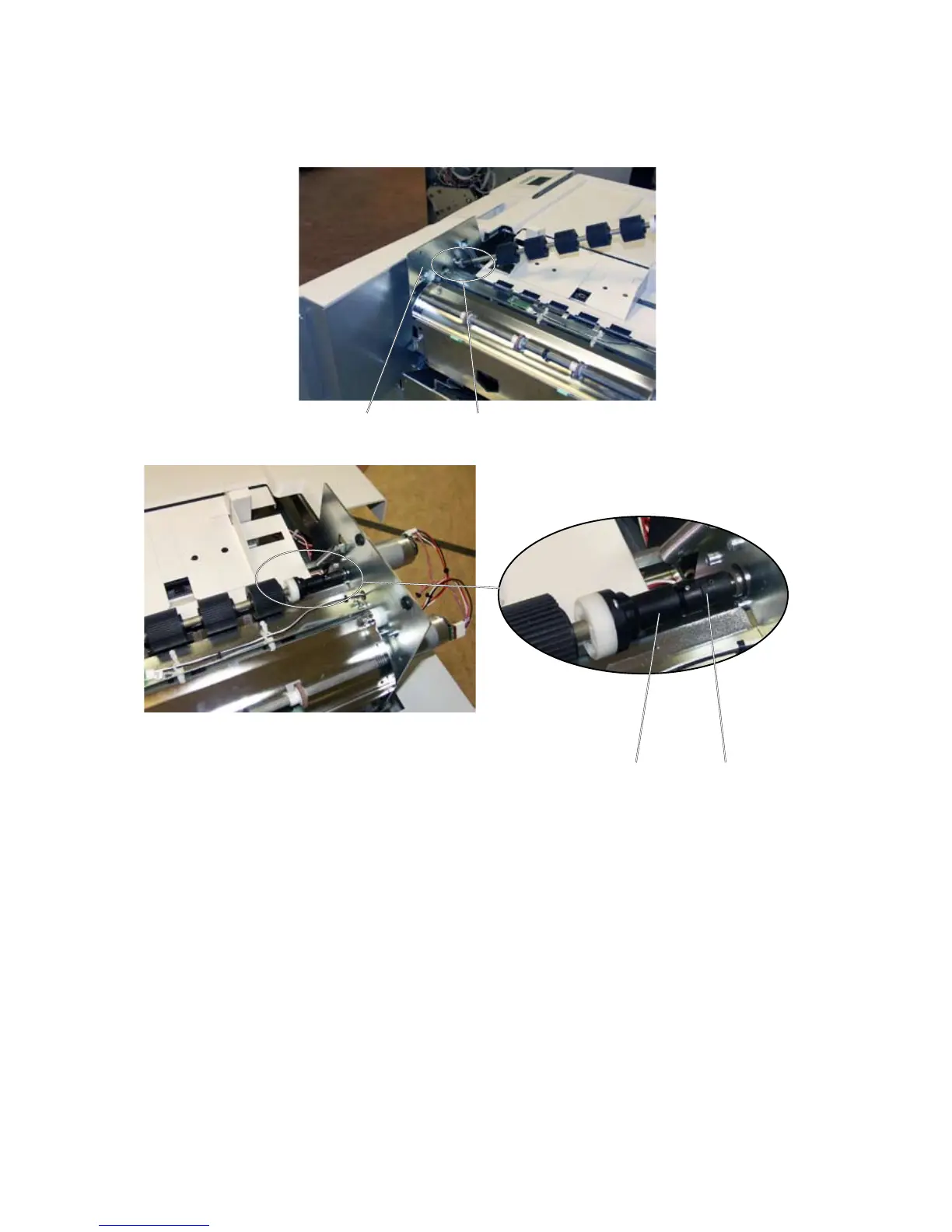
1. Install Feed Roller by inserting the bushing [A] in the hole in the Cover Feeder
front side frame [B].
2. Press the feed roller against the Cover Feeder front side frame and insert the
one-way clutch [C] into the drive clutch [D].
NOTE: Make sure that the one-way clutch [C] fully enters the drive clutch [D].
[A][B]
[C] [D]
Installation of Feed roller



 To Next Page