10 February 2005 SKEWED, TRAPEZOID, AND PARALELLOGRAM IMAGES
4-33
Trouble-
shooting
Action 3 (parallelogram image in platen mode)
Parallelogram slants to the right Raise the left side of the scanner unit.
Parallelogram slants to the left Lower the left side of the scanner unit.
1. Remove the rear cover, scanner left cover, and upper left cover.
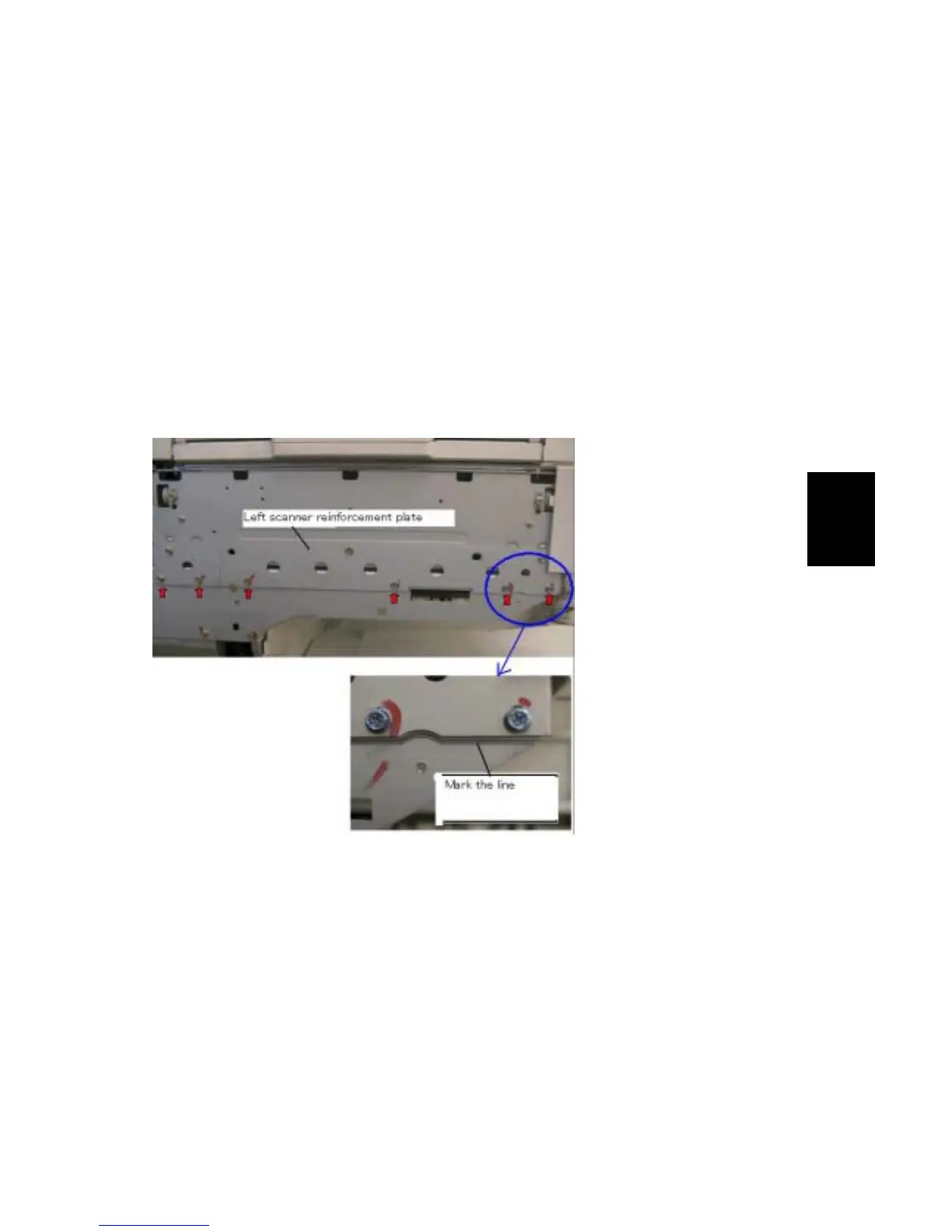
2. Mark the position of the left scanner reinforcement plate by drawing a line
along the lower edge (see photograph below).
3. While holding the scanner unit in place, loosen the 6 screws of the left scanner
reinforcement plate.
Note: The scanner must be held in place, as it will tend to sink due to its own
weight.
4. Raise or lower the scanner with respect to the reference line, then tighten the
screws.


 To Next Page
 Loading...









