10 February 2005 LCT (B457)
1-19
Installation
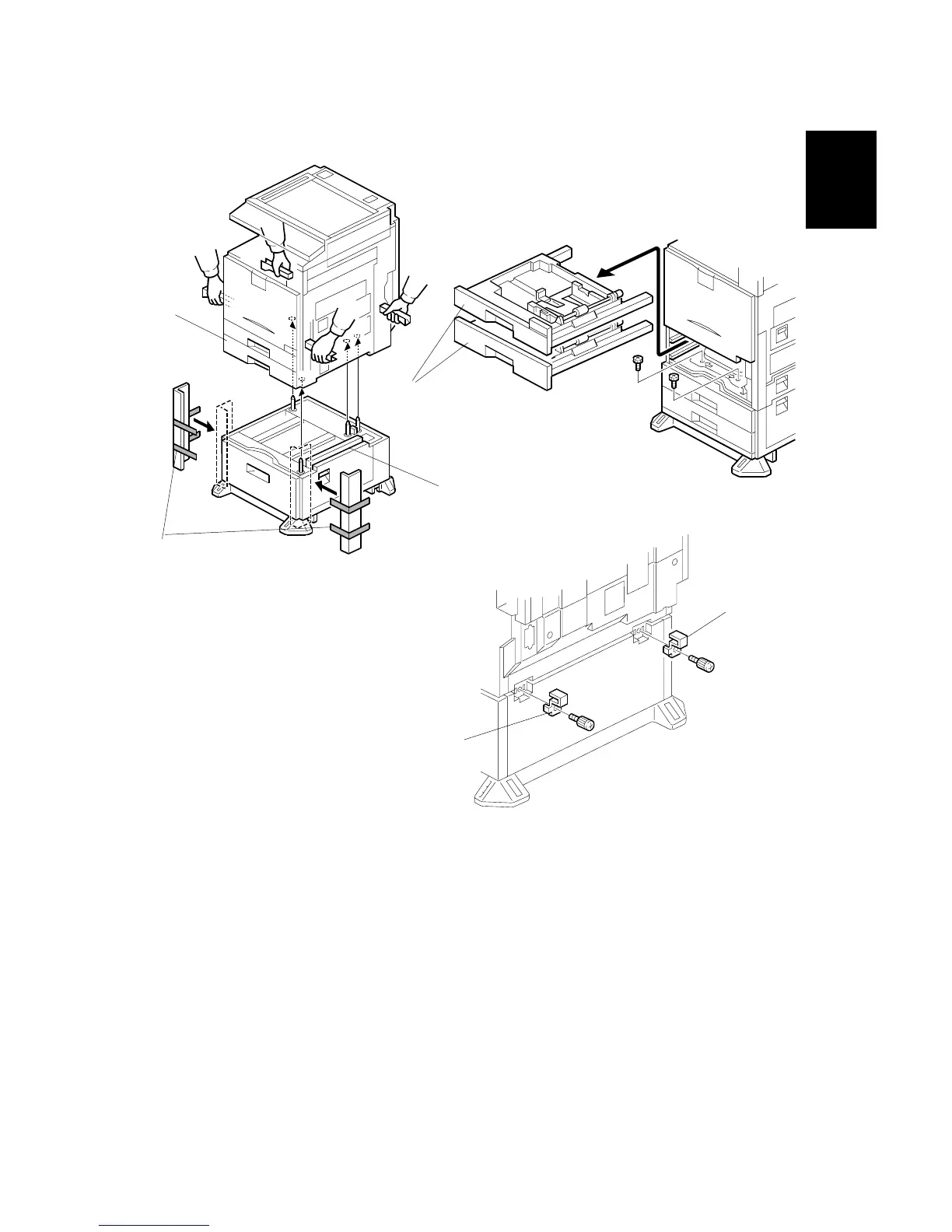
6. Attach the cardboard guides [A] to each side of the LCT [B].
7. Set the copier [C] on the LCT [B]. Use the cardboard guides.
8. Remove the cardboard guides from the LCT.
9. Remove the paper trays [D] from the copier and secure the LCT (! x2).
10. Attach a securing bracket [E] to each side of the LCT, as shown (! x1 each).
B456I215.WMF
B457I152.WMF
B457I156.WMF
[A]
[B]
[D]
[E]
[E]
[C]



 To Next Page