SHIFT TRAY (B510) 10 February 2005
1-32
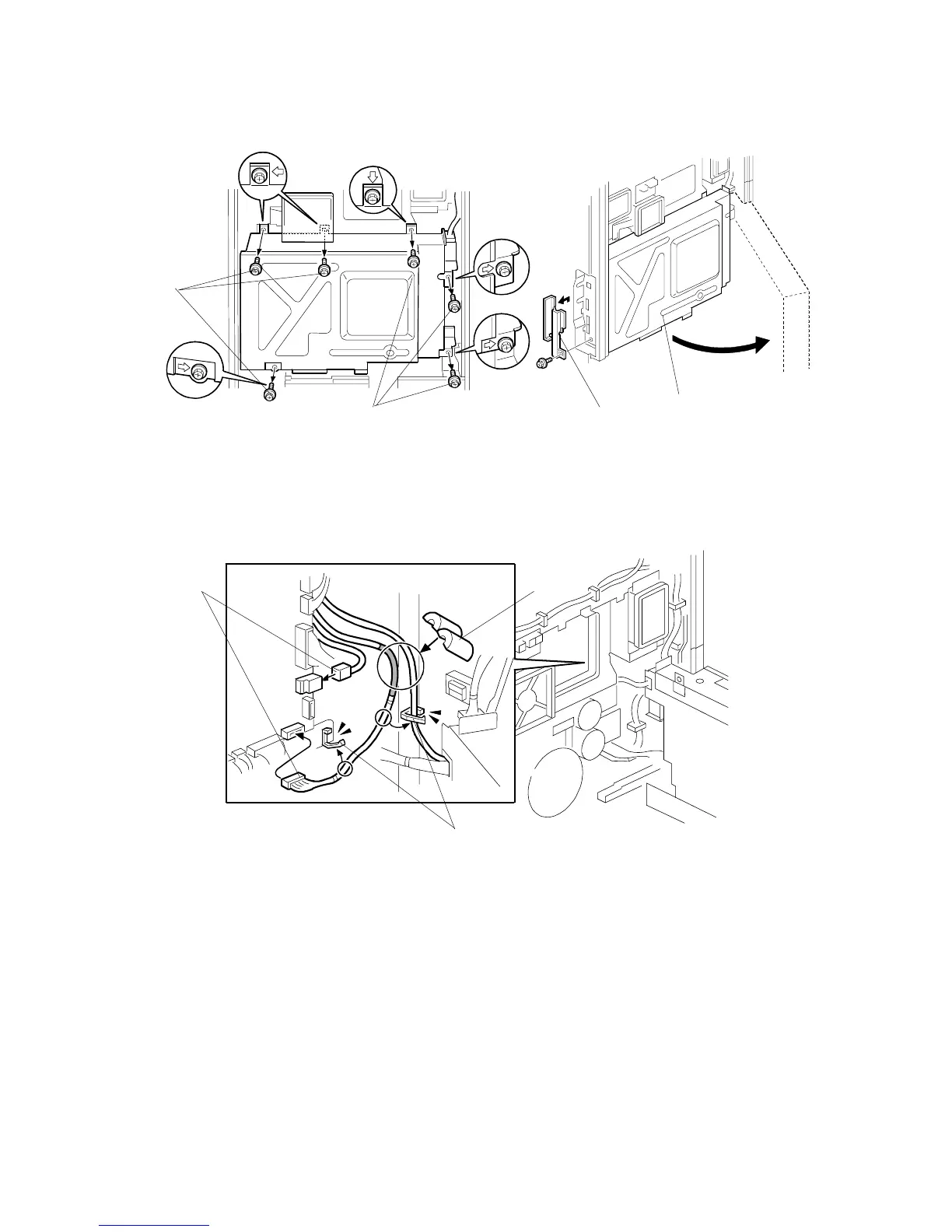
8. Remove the screws [A]. (! x 6)
9. Remove the SD-card slot cover [B]. (! x 1)
10. Open the controller box [C].
11. Connect the harness [D], as shown.
12. Attach the harnesses with clamps [E]. Then attach the core [F].
NOTE: Make sure that the core [F] does not cause damage to the harnesses.
13. Assemble the machine.
14. Turn on the main power switch.
15. Check the shift tray operation.
B510I201.WMF
B510I202.WMF
B510I203.WMF
[A]
[A] [B]
[C]
[D]
[E]
[F]



 To Next Page