Sam4POS Operators Manual v2.33 Report Mode • 165
Additional Selections in the Dates Area are:
START DATE AND END DATE
Use the calendar provided to select the start & end dates.
END OF DAY NUMBER
You have the option to select a specific End of Day Number (if more than 1 has been performed)
TERMINAL
You can select to view reports from ALL terminals or select individual terminals.
OPTIONS
Allow you to further define the report to display just the specified option selection data.
NOTE: Option selections limit the report to display just the specified option selection data.
FILTERS
The filters provide further flexibility by allowing you to filter the report to show all employees or choose a
specific employee to view just their individual totals.
GENERATE
This section provides:
• A REFRESH button to refresh the report data after changing date selections, options or filters.
• A ZOOM button to view just the report data.
• A REPORT VIEW button that allows you to view the report and/or print to the receipt printer.
• The EXPORT Button allows you to export the selected report to either a CSV file or as a PDF.
Exported reports are formatted to 8.5 x 11.
• Use the icons to hide/show the Dates, Options, Filters and Generate selections. This allows you
to view just the report data.
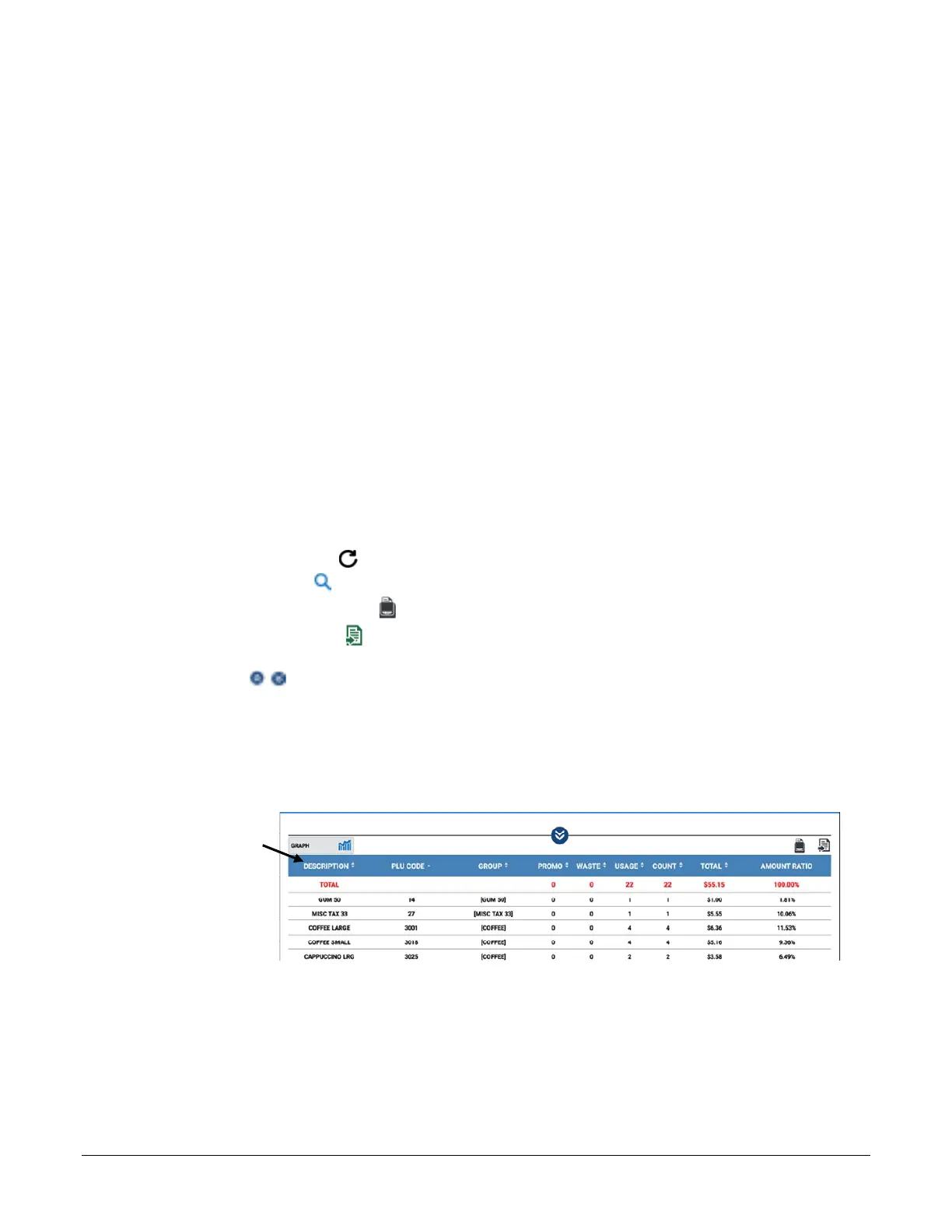
REPORT DETAIL DATA
The report data can be sorted in ascending or descending order by tapping on the desired column heading.
Report Data can
be sorted by
tapping the
column header.



 To Next Page
 Loading...

