Sam4POS Operators Manual v2.33 Appendix • 273
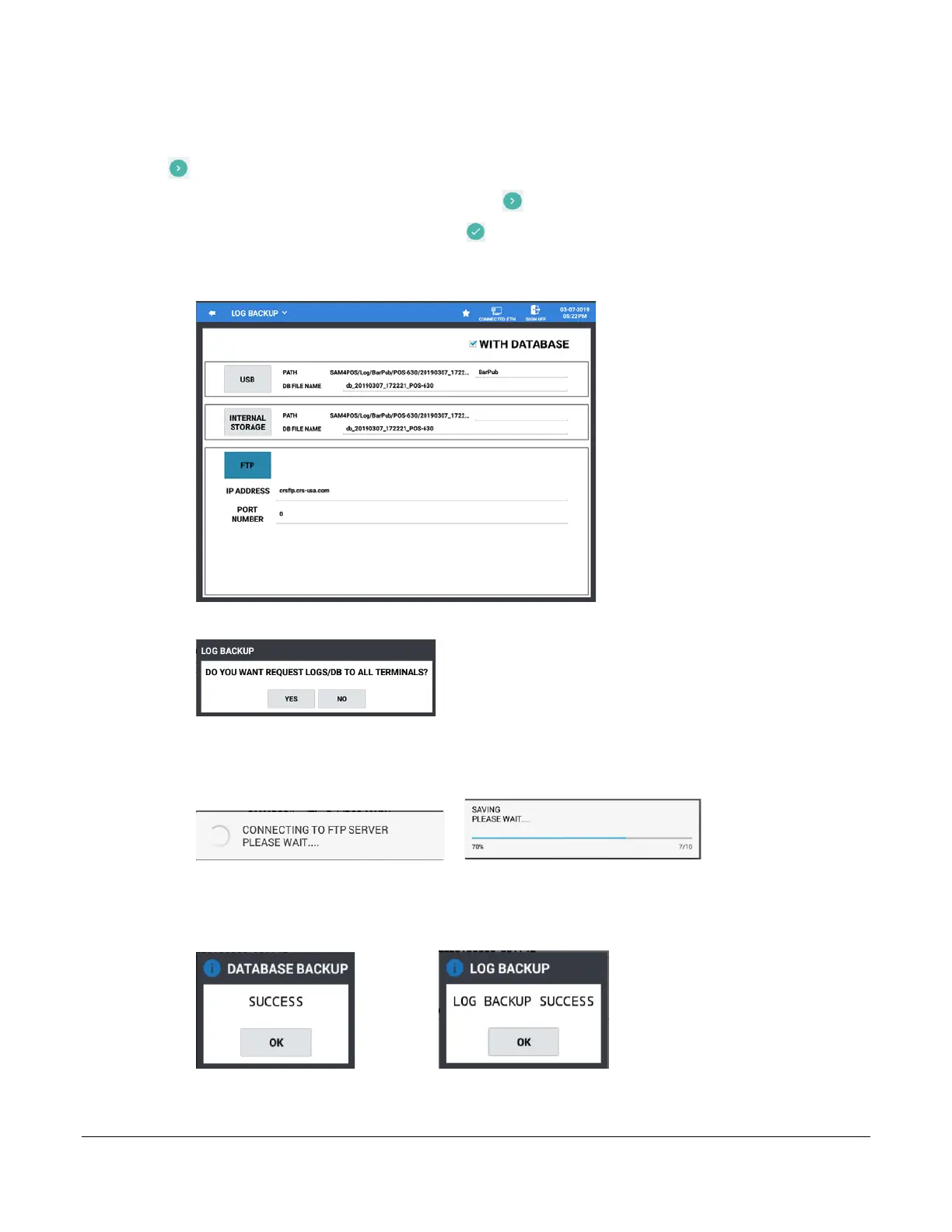
4. Enter the IP ADDRESS or URL for the FTP site where you want to send the backup to; Press Next (the
icon).
5. Enter 0 for the PORT NUMBER; Press Next (the icon).
6. Enter a ‘Store Name’; Then Press Done (the icon).
7. Make sure the ‘WITH DATABASE’ option is checked; Press the FTP button to initiate the backup.
Note: PATH and DB FILE NAME are not used when backing up to FTP.
8. If selecting to backup to FTP, you have the option to select all terminals in the IRC system:
9. Press YES to send the backup from all terminals in system, (eliminates having to send from each terminal
individually); press NO if you want to send the backup from just the one station
10. The SAM4POS connects to the FTP Server, then the Backup begins, the progress dialog displays:
11. Each Log file currently available in the SAM4POS will be backed up to the FTP Site along with the
database.
12. When the backup is complete, the confirmation messages will display briefly:
Press OK Press OK
13. The data files are saved to the FTP site.



 To Next Page